Install updates
Updates keep a system running, but they are also the most common reason why it suddenly stops working. Both of these issues can be reconciled if you follow a specific order and don't try to do everything at once.
The golden rule
Make a backup before every update. Not "one from last week," but one from now. It takes a minute, but could save you an entire evening.
Here are two more rules that have proven effective in practice:
- Not all at once. If something's stuck after five updates, you won't know which one it was.
- Not right before leaving. A botched update takes time.
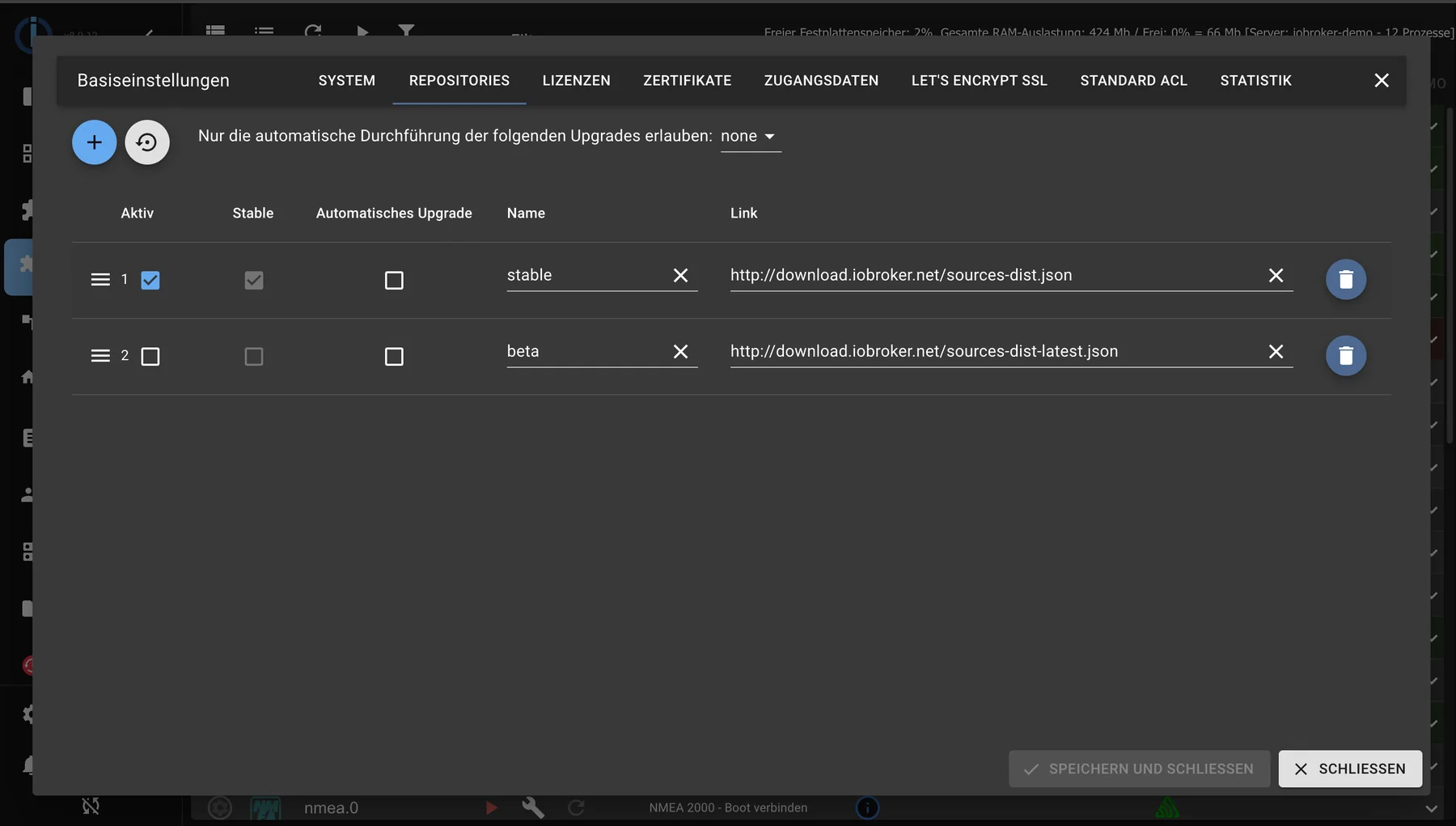
The system settings under Repositories show the source of the adapters. In everyday use, "stable" remains active here.
The chronological order
- Node.js , in case a new version is available.
- js-controller .
- Adapter .
Updating from the bottom up often works well and sometimes goes wrong: a new adapter may require a newer js-controller, and that in turn may require a newer Node.js version.
Update adapter
In the Adapters tab, adapters with newer versions are highlighted. Before clicking, it's worth checking the adapter's changelog: this will indicate whether it's a bug fix or a redesign that requires further work.
After the update: Check if the instance is running and look at the log .
Stay on the stable repository. The versions there are tested. Beta is for testing purposes, not for a system that needs to work. See Repositories .
Update the js-controller
It is not updated in the Adapter tab, but in the Hosts tab. A notification appears there if a newer version is available. On the command line:
iobroker upgrade self
The user interface will be briefly unavailable during the update. This is normal.
Update Node.js
This is the step with the most significant consequences and the only one that takes place outside of ioBroker. ioBroker provides its own command for this:
iobroker nodejs-update
Use only even version numbers, i.e., the LTS versions. Odd versions are not supported. See Update Node.js for details.
The operating system
Under Linux, the underlying system also needs maintenance:
sudo apt update
sudo apt upgrade
A system that hasn't received security updates for years is a greater risk than an adapter that's one version behind.
If an update goes wrong
- Check the minutes . They usually state in plain language what's missing.
- Stop the affected instance and restart it individually.
- If that doesn't help, restore the backup. Instructions on how to do this can be found under "Restore configuration" and in detail under "Restore" .
And then ask in the forum . If an update goes wrong for several people, you're usually not alone.