What is a repository?
A repository is a central storage location for software. The adapters that the administrator offers for installation come from such a repository.
ioBroker comes with two:
| Repository | Contents |
|---|---|
| stable | Adapter versions that have been tested and can be used on a production system. Pre-configured. |
| beta | Versions that are still in the testing phase and may contain bugs. This repository was formerly called latest . |
For a reliable installation, always use the stable repository. Versions in the beta repository may contain bugs that affect the entire system.
Select the repository
The setting can be found in the system settings under the Repositories tab. It can be accessed via the System menu at the very bottom of the administrator's menu bar.
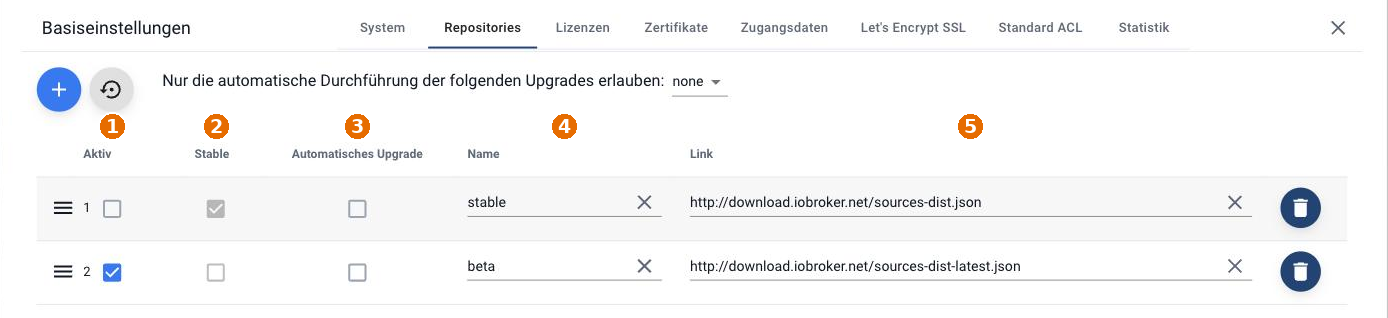
| No. | Split |
|---|---|
| 1 | Active : here you select which repository is used. |
| 2 | Stable : is automatically set on the first read if ioBroker recognizes the repository as stable. |
| 3 | Automatic upgrade : whether adapters from this repository may be updated automatically. |
| 4 | Name : freely selectable. |
| 5 | Link : the address of the adapter list. |
The "+" button in the upper left creates another repository. The button with the arrow next to it resets the paths for stable and beta to their default settings and also deletes any repositories you added yourself.
The default paths are:
- stable:
http://download.iobroker.net/sources-dist.json - beta:
http://download.iobroker.net/sources-dist-latest.json
If the beta repository is active, the Adapter tab will display a warning:
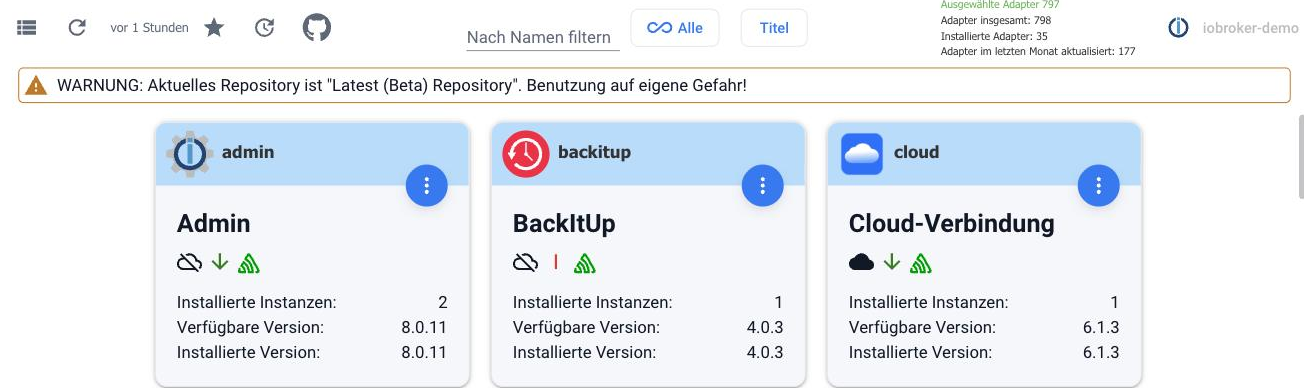
A single adapter from the beta repository
Previously, this meant switching from stable to beta, installing the adapter, and then switching back, although the latter step was often forgotten. This is no longer necessary.
- Turn on expert mode (the icon in the bottom left of the menu bar).
- In the Adapters tab, select Install from local source . The icon is the Octocat.
- In the From npm tab, select the desired adapter.
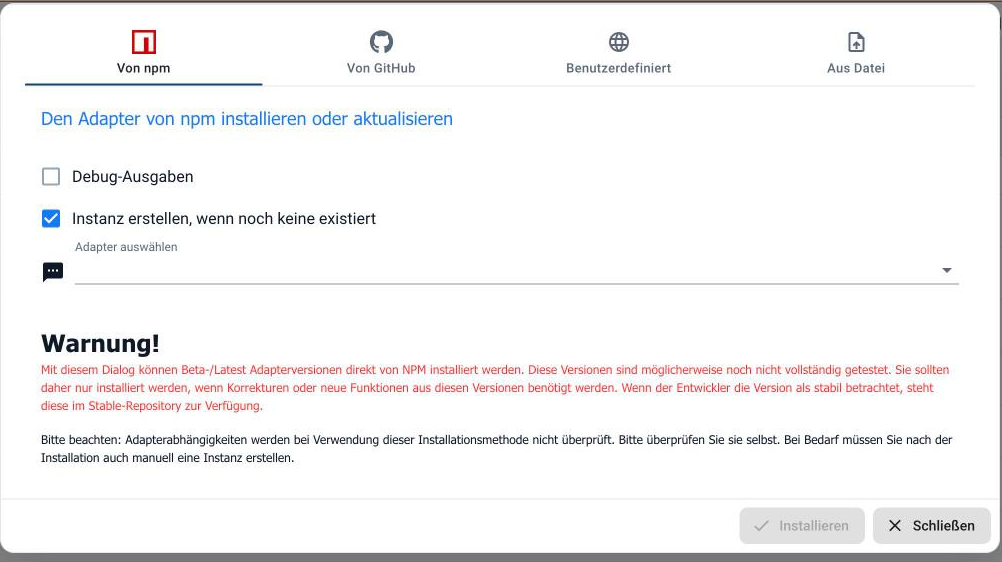
This allows you to install the latest version of a single adapter without having to change the repository. All other adapters continue to come from the stable repository.
Dependencies are not checked using this method. An adapter should only be installed directly from GitHub if the developer explicitly requests it, for example, for testing or debugging. Such versions are in the middle of development and may not even work in the meantime.
How an adapter gets into the repository
Long before an adapter appears in the admin area, the developer submits a request for inclusion. Experienced developers review the source code and provide feedback on what still needs to be done.
A new adapter is first placed in the beta repository, where it is tested by reviewers. Once the reported bugs are fixed, the version moves to the stable repository. After a major feature change, an adapter typically goes through the same process again.