Record values
A data point only knows its current value. ioBroker only knows how warm it was last night or how much electricity was consumed last week if someone has recorded it. That's exactly what the recording adapters do.
Which adapter
| adapter | Where | When |
|---|---|---|
| history | In files on the computer | Few data points, short time periods. A good starting point. |
| influxdb | Into a time series database | Many data points over years. The usual approach for established systems. |
| sql | In MySQL, PostgreSQL or SQLite | If such a database already exists. |
Start withhistory Switching later is possible, and it's perfectly adequate for the initial charts. A comparison of the three adapters, the migration process, and what happens to the data during a backup can be found under Data Recording .
Recording means writing, and writing uses up an SD card. Anyone who wants to continuously record large amounts of data should not do so on an SD card, but rather on an SSD or a database on another computer.
Furnish
- The adapter
historyInstall and create an instance. Its configuration contains the default settings that will later apply to every new data point. - In the Objects tab, find the data point to be recorded.
- At the end of the line, the gear icon opens the settings for this data point. There, enable the history instance.
Recording begins now. There is no retrospective recording: recording only starts from the moment the device is switched on.
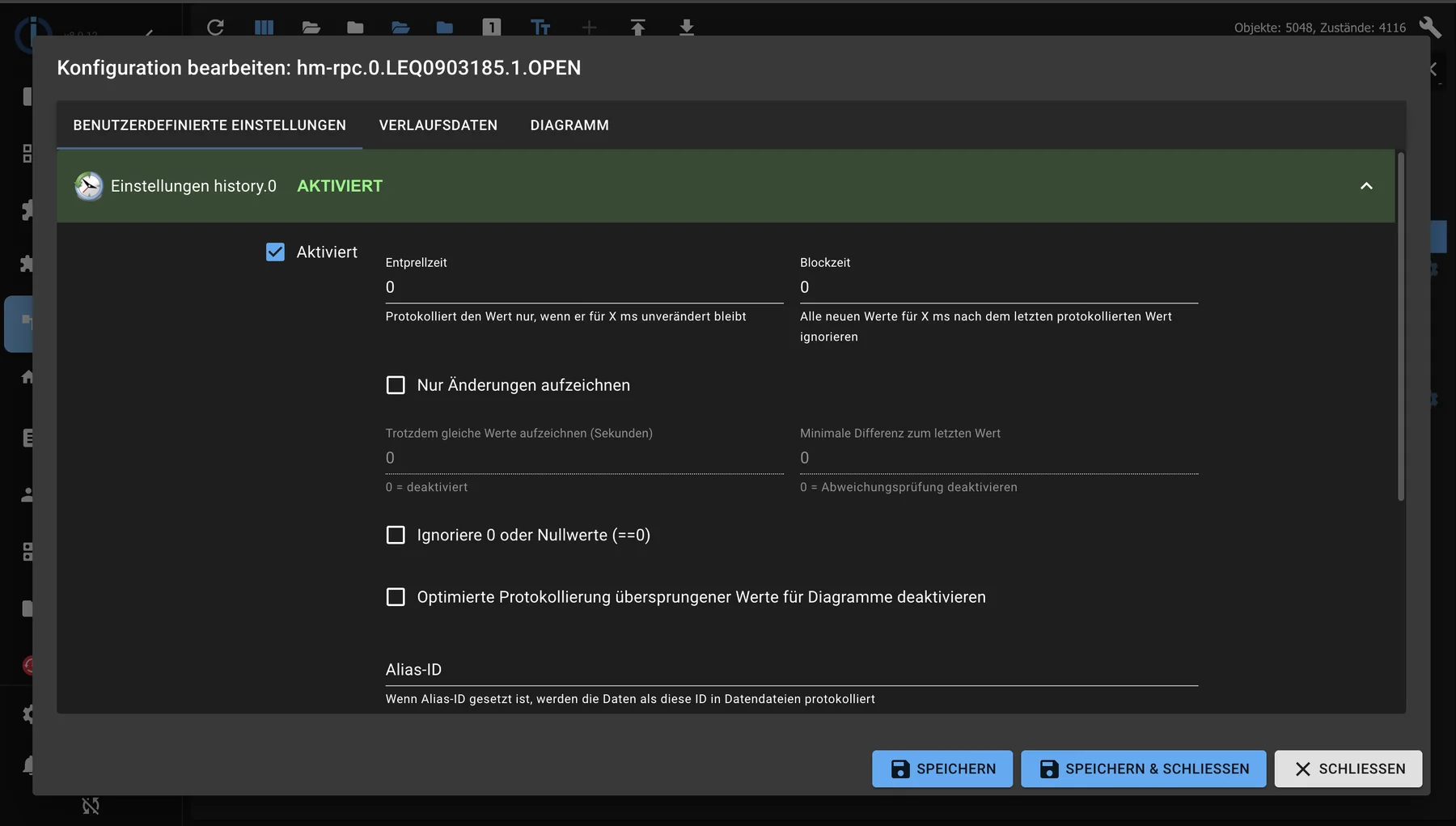
Behind the gear icon of an object row: here, for each data point, it is switched on what is recorded and how exactly.
The settings that matter
| Attitude | What it does |
|---|---|
| In case of change or within the interval | "On change" is almost always correct. An interval also generates data even if nothing happens. |
| Minimum change | Only when this deviation is reached does the data start being recorded. This eliminates the noise from the sensor. |
| Debounce time | Locks shortly after a write operation. Helps with values that fluctuate every second. |
| storage | How long the values will be retained. Without a limit, the storage capacity grows indefinitely. |
Only record what you will actually look at. Recording every data point just because you might need it someday is the most common reason for a system to become slow after a year.
Useful data includes temperatures, consumption, fill levels, and switching states, which you can later use to determine when something happened. Not useful are counters that already contain a history and internal data points of the adapters.
Check if it works
Wait a while and then change the value once. Afterwards, the Objects tab at the data point will show that recording is active, and the history instance will log any errors. If nothing is logged, it's worth checking the log .
What happens next?
The best way to view recorded values is as a chart: Charts .