Cloud services and apps
ioBroker runs on your own network, and that's the normal setup: the data stays within your home, and everything continues to work without internet access. However, your own network isn't sufficient for three things:
- Access from anywhere without opening a port in the router.
- Voice assistants , because Alexa and Google Home send their requests from the internet.
- External services that are supposed to report something to ioBroker, such as a webhook.
That's what the ioBroker cloud is for. The crucial point is that the connection is established from the inside out . Your router remains closed, no port forwarding needs to be configured, and your installation is not accessible from the internet.
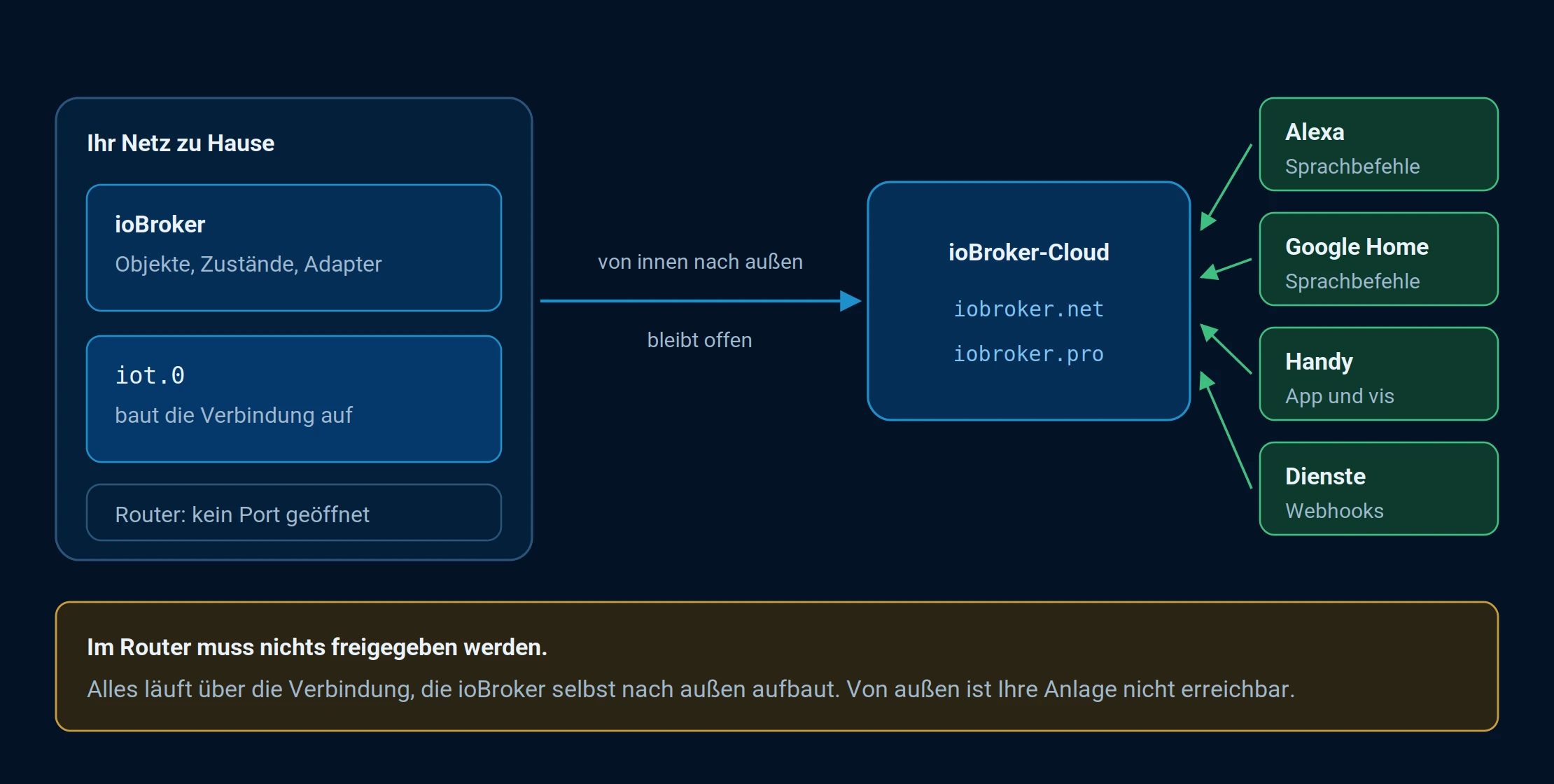
The connection goes from the inside out. Alexa, Google Home, and your phone communicate with the cloud, not with your router.
The adapters
| adapter | For what |
|---|---|
| IoT | The current approach. Voice assistants, remote access and services all in one. |
| cloud | The predecessor. Still in operation, but for new facilities it isiot planned. |
Both require an account. For free remote access, one account at ioBroker.net is sufficient; for voice assistants and extended remote access, one at ioBroker.pro is needed. The differences between the two are explained under Access Licenses .
The pages in this chapter
| Page | Contents |
|---|---|
| IoT | Create an account, set up an instance, and check the connection. This is the starting point for everything else. |
| Visualizations | Access your own interface while on the go. |
| editors | Give other people access to the account. |
| Services | Send values to ioBroker or trigger commands via an address. |
| Alexa Smart Home Skill | Switch devices using the usual commands. |
| Alexa Custom Skill | Custom voice commands and status queries. |
| App | The official app for phone and tablet. |
For voice control and custom-built interfaces to function, rooms and functions must be defined. Without these categories , neither Alexa nor a visualization adapter will know what is meant.
Before external access is set up: the useradmin Enter a password and enable login .