IoT Cloud (Integration with ioBroker and Alexa/Google Home)
Controlling your devices with Alexa is easier than ever.
Here's how you can use the Cloud Adapter for seamless connectivity with Alexa, making your home smarter. Unfortunately, existing solutions haven't always kept pace with the growing number of users.
That's why we're introducing the IoT Service, a future-proof solution specifically designed for seamless integration with Alexa and other assistants.
To ensure that the IoT instance setup and connection work correctly, the new assistant license package can only be purchased after a connection has been successfully established, the linking is successful, and the control of at least one device has been successfully implemented.
So don't be surprised that nothing is available in Pro-Cloud-Account.
Therefore, please follow the updated instructions first:
- If you do not already have a Pro account, first register an account at https://iobroker.pro/intro.
Otherwise, simply use the existing Pro-Account.
Newly created accounts have a 7-day trial version of the Assistant license with a limit of 20,000 requests per month.
However, a purchased Assistant license starts immediately; no remaining days are taken into account. After the 7-day trial period without purchasing an Assistant license, up to 20 requests per day are transferred free of charge.
After that, the limit is blocked for the remainder of the day.
Existing Pro accounts without a license can also test the assistant package for 7 days when the promotion starts - these 7 days start from the creation of the IoT service user by entering the login data in the IoT adapter.
Pro accounts with an existing assistant or remote access license also have 20,000 requests per month.
- Next, install the
ioBroker.IoTadapter from the normal repository - simply filter for "IoT".
In the adapter configuration, please enter the login credentials from https://iobroker.pro (email address in lowercase and password! Not an app key or anything similar!).
The buttons "Get new connection certificates" or "Recreate IoT credentials" are only needed in case of errors.
If the IoT adapter is already installed, please check if updates are available and update to at least version 0.2.2.
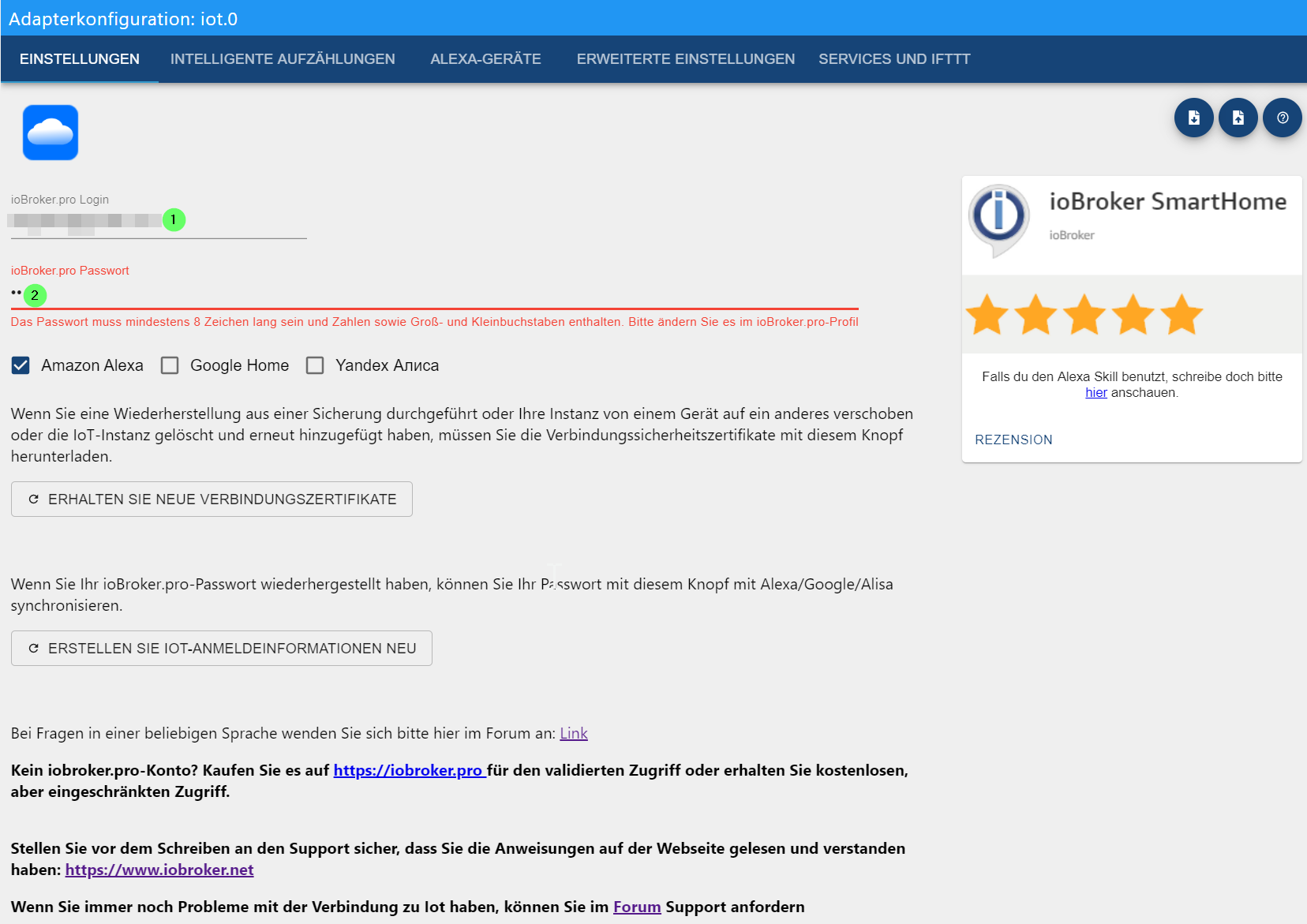
Continue making all necessary settings here and check smart devices.
It is also recommended to create groups in the ioBroker IoT adapter rather than on Amazon, as groups on Amazon cause unnecessary traffic because Amazon sends a separate control command for each device!
Another advantage is that the groups are retained when the Amazon account is recreated.
- The adapter should now connect to the IoT service and turn green.
If that doesn't work and the adapter is, for example, yellow, please check the log file and refer to the FAQ below.
Restarting the instance can also help.
Most of the time, it's something simple like incorrect login credentials (Note: Pay attention to upper and lower case!). The error messages in the log have been improved and should now better indicate the problem.
- After the initial connection, an Alexa account will be automatically created with the same password as for ioBroker.pro.
The ioBroker.iot instance must be "green".
- It may happen that passwords containing the
#symbol do not work yet.
The problem is being investigated, therefore please do not use # in your password.
- Then install the new "ioBroker.assistant" Skill and click on "Activate".
The login screen for the IoT service should then appear.
Use the email address and password for your ProCloud account here.
Please write the login in lowercase: MyEmail@gmx.de is incorrect; myemail@gmx.de is correct!
Those already using the IoT services (previously or with the custom skill) can simply log in directly with their IoT access data when activating the skill.
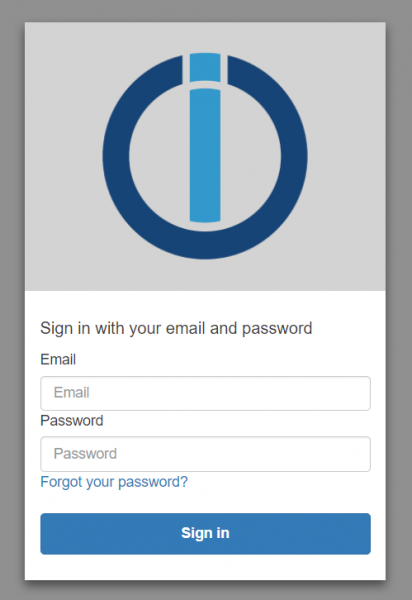
After a successful login, a success message will appear and the skill will be activated.
If not, please check your login details and try again.
- Now Amazon should offer you the device search.
Once this process is complete, all devices stored in the IoT adapter should also be found on Amazon.
- Please now check if your devices can be controlled via voice or the Alexa app.
This step is important, and at least one switching action must have been successful before you can proceed to the next step!
- Now it's best to go to Amazon and give the skill 5 stars right away (since everything worked) :)
Good reviews (genuine ones, of course; this is not a call to fake reviews!) and thus the skill placement also have a certain influence on the costs of the Amazon services used by the IoT service!
- So, if you have successfully connected the IoT adapter, activated the skill, and can successfully control your devices,
Now you need to decide whether you want to purchase the Assistant Package as part of the Christmas promotion, or whether the 20 requests per day might be sufficient for you.
If you want to purchase the package, please go to https://iobroker.pro in your browser and log in with your Pro Cloud credentials.
If you don't see a menu, click on the avatar icon in the top right corner and then select "Remote Access" from the menu.
Remote access to the admin panel and editors is not possible with this license!
It is also not possible to upgrade to Remote later. That would require purchasing a new Remote license.
If you need full remote access (including editors) to ioBroker, you can also purchase the remote license (for €5.49/month or, for example, €44.99/year (= €3.75/month)), which automatically includes smart assistant support (Alexa, Google Home).
An overview of the licenses and features can be found in the following table:
| Features / License | without license | Smart Assistant License | Remote Access License | |
|---|---|---|---|---|
| iobroker.net | iobroker.pro | iobroker.pro | iobroker.pro | |
| Alexa Skills | - | 20 requests/day | 20,000 requests/month | 20,000 requests/month |
| Google Home | - | 20 requests/day | 20,000 requests/month | 20,000 requests/month |
| Remote access vis(2) (not editable) | ✓ | - | - | ✓ |
| Remote access admin, vis(2) (editable) | - | - | - | ✓ |
| Service (POST request) | - | ✓ | ✓ | ✓ |
| Service (POST/GET request) | - | - | ✓ | ✓ |
The requests are distributed among all services used by the user. This means that if 10,000 requests are made to Alexa and 10,000 to Google Home with an Assistant license, then the 20,000 request limit is used up.
For remote access, the ioBroker.cloud adapter is required. For all other functions, the ioBroker.iot adapter is required.
The Smart Assistant license costs €15.99 for 6 months (€2.67 per month) and €23.99 for one year (€1.99 per month).
Prices may be subject to change depending on how the exact operating costs for the necessary infrastructure develop!
Troubleshooting
If the password for ioBroker.pro in the Alexa skill is incorrect, please check:
-
The
ioBroker.iotadapter is installed and the instance is "green", -
Login is entered in lowercase letters,
-
the password does not contain a
#character, -
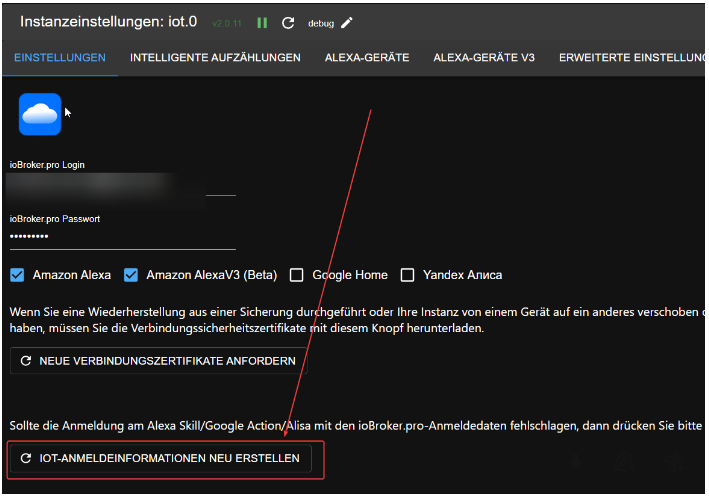
If none of that helps, please press this button:
-
The following ports for communication (output) are not blocked in the firewall: 443, 8443 and 8883.
After that, ioBroker.iot should restart itself, and then try activating the ioBroker.iot skill again.