Admin and Editors
With the ioBroker.pro cloud, you get more features compared to the free ioBroker.net cloud.
Additional features include:
- Access to the admin interface
- Ability to edit vis-2 and vis projects, not just view them
- Lovelace access
- More resources and fewer users, resulting in faster and more reliable performance
Admin
To enable admin access, you need to activate it in the cloud settings on the "Extended options" tab.
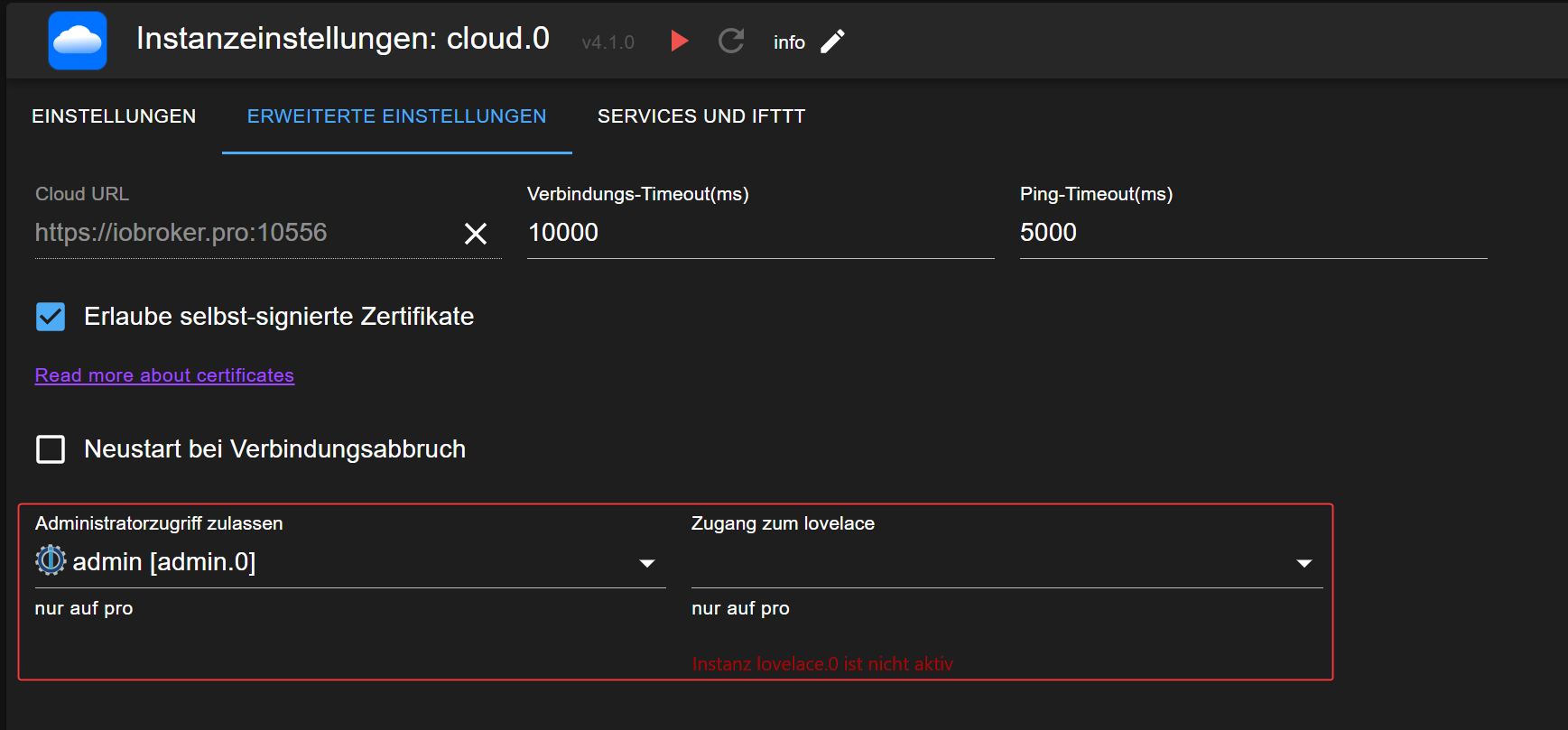
The selected admin instance must not have the HTTPS option enabled and must not be password protected. This is required for the cloud to access the admin interface.
If you need to protect your admin interface, you can create a separate instance for the cloud without password protection and without HTTPS, and bind this instance to localhost on a different port.
In this constellation, you can access the admin interface only from the local machine, but the cloud still can access it.
Important: Choose a port other than 8081, as 8081 is used by your main admin instance.
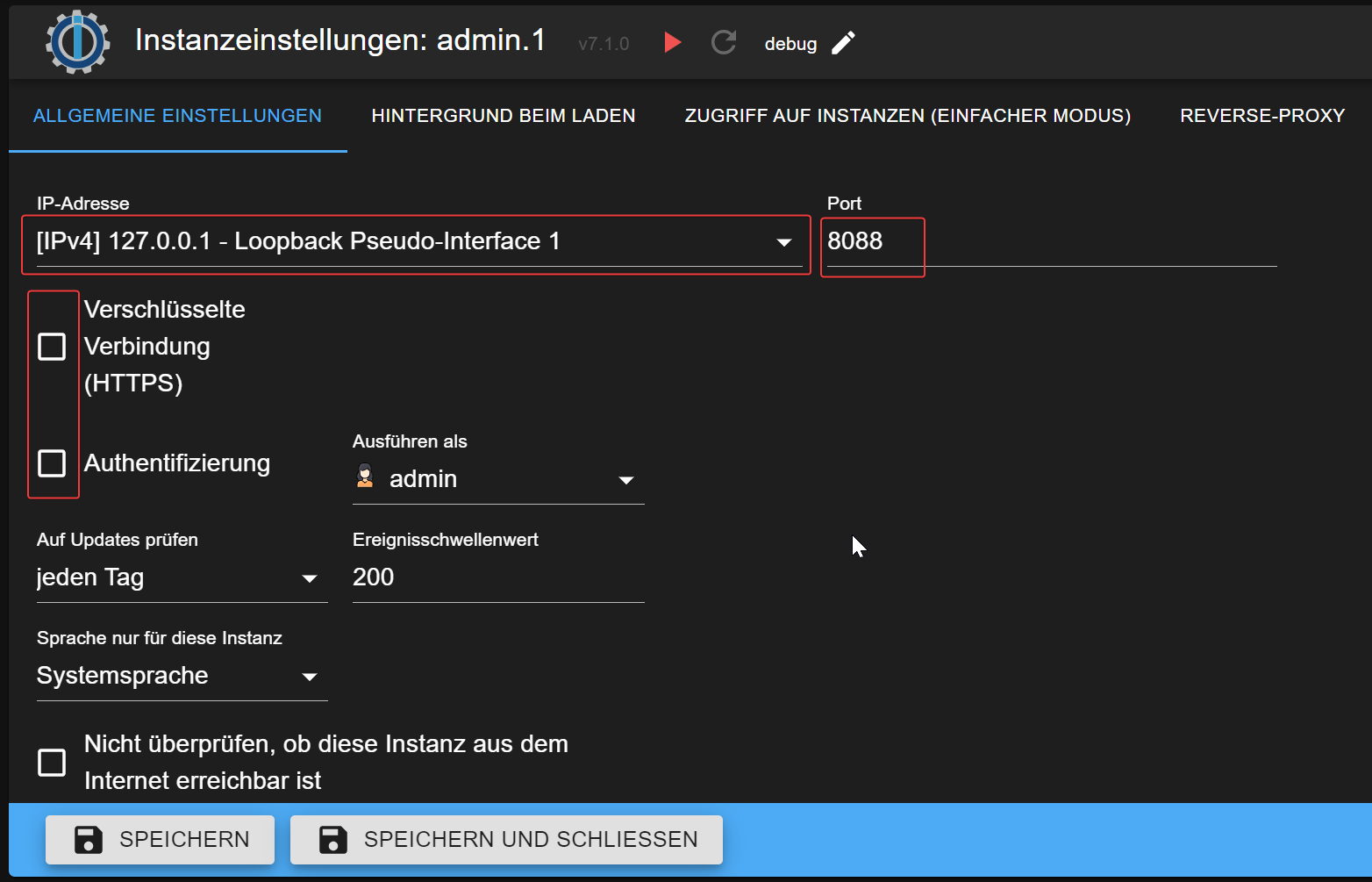
After that, make sure to select the newly created instance in the cloud settings.
Vis and vis-2
No special configuration is necessary to enable vis and vis-2 editing. Simply open the vis or vis-2 project in edit mode.
Lovelace
The Lovelace cloud runs on port 4463. Ensure your firewall settings allow access for your mobile phone or tablet to the cloud on port 4463.