Usage statistics
Each installation can anonymously report what it's running on. This information forms the basis of this website's statistics page : how many installations there are, which operating systems they're running on, which Node.js versions they're using, in which countries, and with which adapters.
Participation is voluntary, and it's the only way the project can answer such questions. Whether an adapter is still in use, whether an older Node.js version still needs support, whether the effort for a particular platform is worthwhile: none of this is reflected in sales statistics because there aren't any.
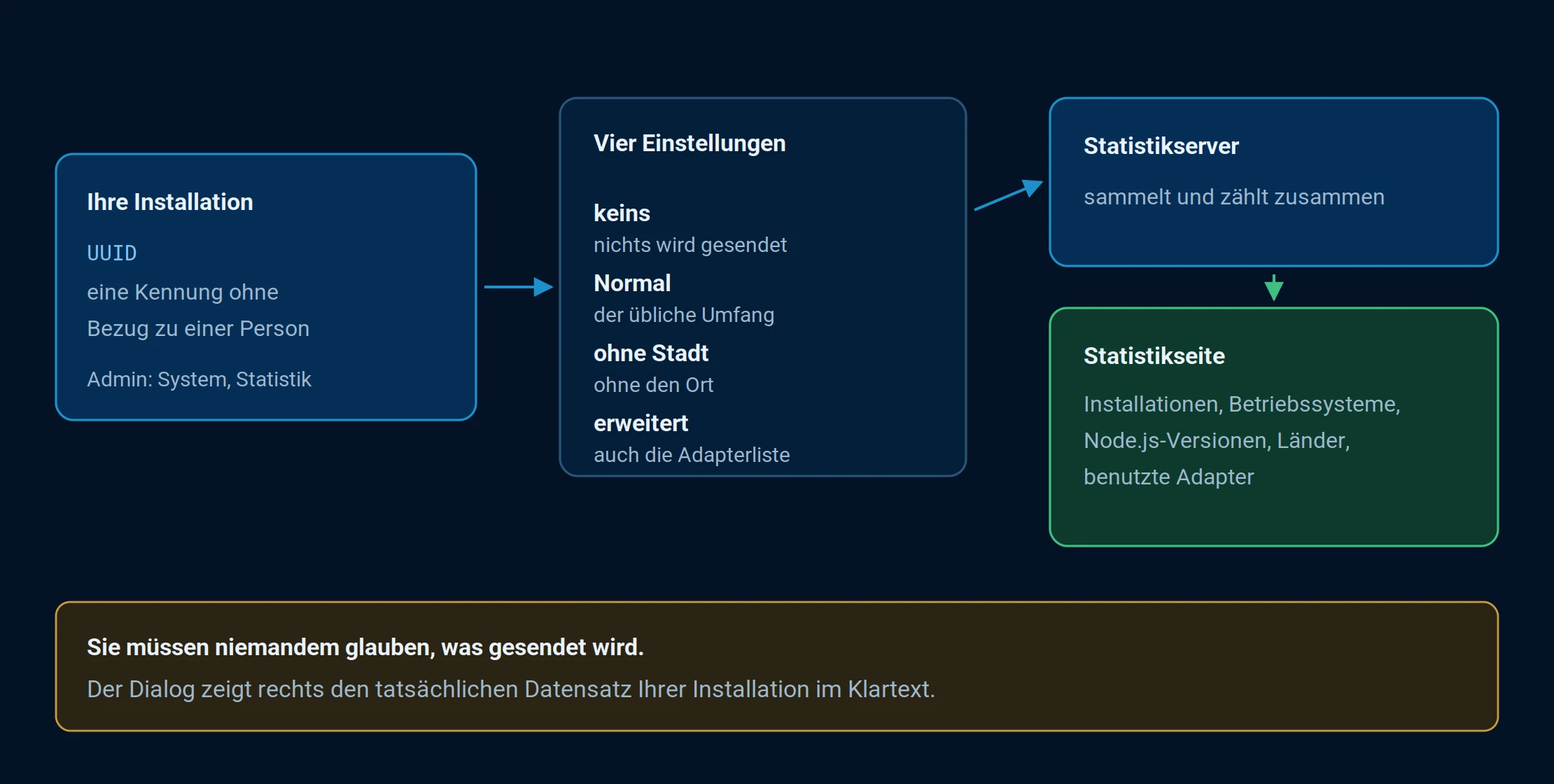
You decide what your system reports. All reports are compiled into the statistics page.
Where this is set up
In the admin panel, under System , Statistics tab, there are four settings:
| Attitude | Meaning |
|---|---|
| none | Nothing is transmitted. |
| Normal | The usual scope. |
| without city | Same as above, but the location is omitted. |
| expanded | The full scope, including a list of installed adapters. |
The crucial point about this dialog is that it displays the list of fields on the left and the actual data record on the right , exactly as it would be transmitted, in plain text and specific to your installation. So you don't have to take anyone's word for what's being sent; you can see it for yourself.
What is transmitted
The most comprehensive settings include, among other things:
- the UUID of the installation, i.e. an identifier without reference to a person,
- Language and country , and depending on the setting, also the city.
- For each host, the version of the js-controller , the platform and the system type,
- the Node.js version , the processor architecture, and whether it's a Docker installation.
- the installed adapters with version and origin,
- which database types are used for objects and states.
The information is transmitted when the adapter list is updated, not continuously.
The country and city are taken from the " System" tab of the same system settings from which ioBroker also calculates sunrise and sunset. No location data is used, and no IP address is evaluated.
The same setting also controls crash reports ; see Error Reports . Selecting " none" disables both.
What results from this
The statistics page contains the evaluations: the number of installations and their development since 2015, the distribution by country, operating system, language and Node.js version, and how many systems work with multiple hosts.
The map on this page is loaded from Google Maps and will therefore only be displayed if you explicitly request it. Until then, no request is sent there.
The graph counts installations, not people. Anyone setting up a new installation instead of restoring a backup gets a new UUID and is counted again.
What that does to you
Nothing. There's no advertising, no data sales, and no tracking back to an individual. The benefit lies elsewhere: the numbers help determine which adapter is maintained and when an old Node.js version can be deprecated.