Roles of data points
Each object of typestate carries a characteristiccommon.role It doesn't say what the value is, but what it represents : whether it's a switch, a temperature, a brightness level, or a message.
A single value is ambiguous.true This could mean that a light is on, a window is open, or a device is accessible. It's the role that transforms this into something a user interface or voice assistant can process.
What's the point of that?
Visualizations then select their control element.switch gets a switch, alevel.dimmer a slider, avalue.temperature A display with degree symbols. Without a suitable role, it shows a blank input field.
Voice assistants recognize a device by its capabilities. Alexa can only dim a lamp if a data point has the appropriate role.level.dimmer carries.
Device identification assembles a device from several data points. An RGB lamp consists of three values that belong together:
switchfor in and outlevel.color.rgbwith the color codelevel.brightnesswith the brightness
Only these three rollers in the same channel turn three numbers into a lamp. Which rollers a device type requires and which are optional is specified in the type detector .
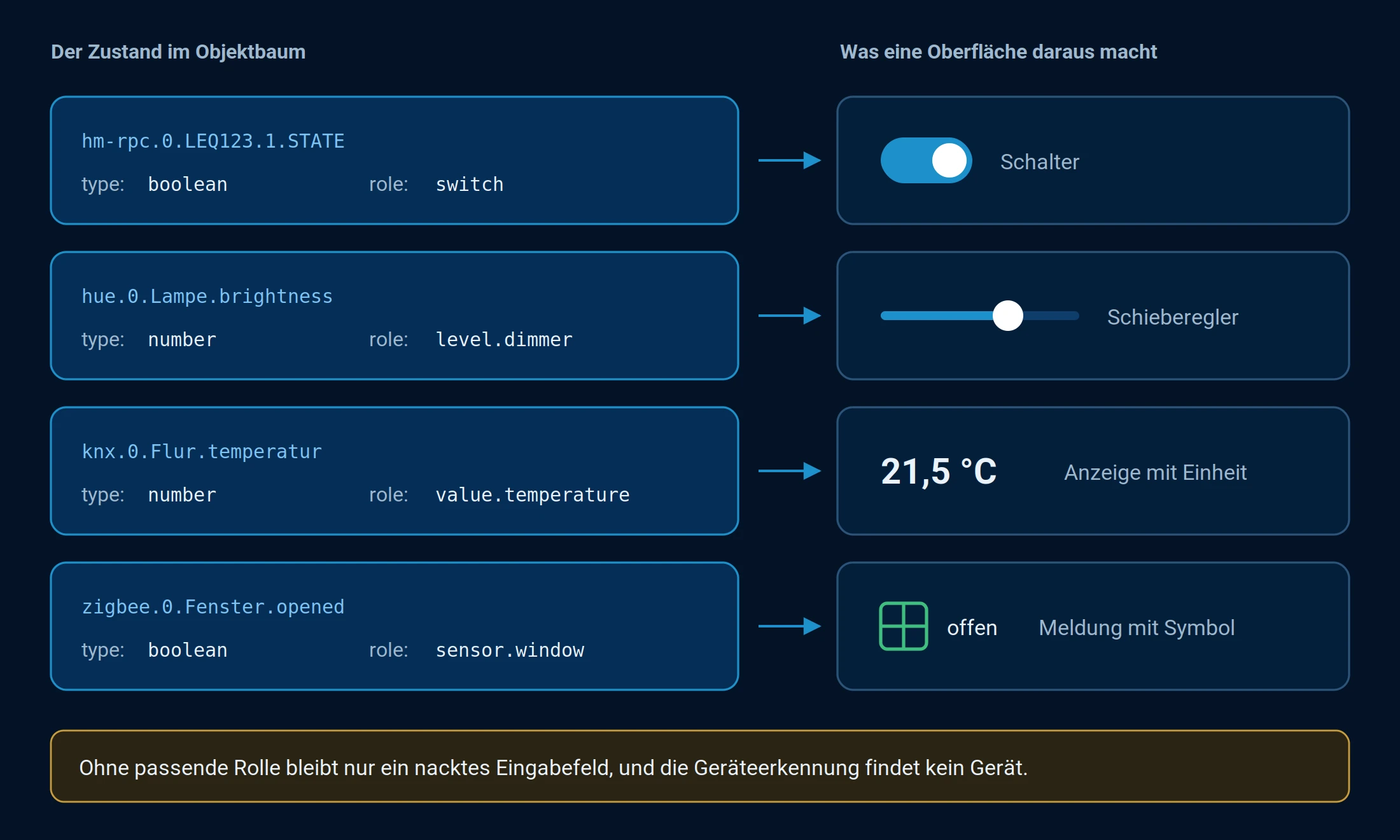
Type and role together determine what makes a surface a state.
How a role is structured
Roles are tiered and written with periods, from general to specific:
switch
switch.power
level
level.color.temperature
value.temperature
The first level is the type of value. Everything after that describes it in more detail.
| First stage | Means |
|---|---|
state | Unknown. To be used when nothing more specific fits. |
sensor | A yes/no value that is only read. Window open, movement detected. |
indicator | A yes/no value for the device's own status: low battery, unreachable. Displayed as a small icon. |
value | A number that is only read. Temperature, consumption, humidity. |
level | A number that can also be set. Brightness, target temperature, roller shutter position. |
switch | A yes/no value that can also be set. |
button | A trigger. It's just written, it has no meaningful reading value. |
text ,html ,json ,list ,date | Values that do not control a device, but represent something. |
Always use the most accurate role that fits.level.color.temperature says more thanlevel , andswitch.power more thanswitch Within a channel, the same role may only occur once; otherwise, the device recognition will not know which of the two values is meant.
Where you see and change the role
In the admin panel, under the Objects tab, the role is displayed in a separate column. It can be changed using the pencil icon, and in expert mode, it can also be changed directly within the object.
Changing the role of a data point that an adapter creates itself usually doesn't last long: the adapter writes it back the next time it starts. If a role is permanently incorrect, this is included as an error message for the adapter. For your own use, an alias is the better approach, as the role can be set freely without modifying the adapter.
The complete list
All roles, including their data types, mandatory fields, and deprecated notations, are listed under State Roles in the Adapter Development chapter. This list is the authoritative one; it is maintained along with the type detector.