inventwo widgets
inventwo Design is a fully designed set with its own visual language: dark tiles, bold symbols, clean lines. It is one of the few sets from which an entire user interface can be built without adding anything else, and it has been continuously developed since 2020.
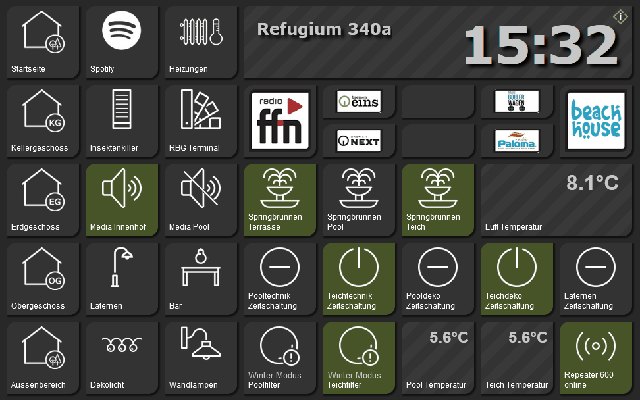
Two adapters
| adapter | For | Status |
|---|---|---|
vis-2-widgets-inventwo | vis-2, directly installed | 09/2026 |
vis-inventwo | vis 1; also runs in vis-2 | 06/2026 |
Both originate from jkvarel and are maintained. For new projects in vis-2 ...vis-2-widgets-inventwo the right choice;vis-inventwo is the older, significantly more comprehensive set and still makes sense for existing pages.
The widgets for vis-2
| Widget | For what | |
|---|---|---|
 | Universal | The core component: switches, buttons, navigation, image, and display all in one building block. Its function is configured, not determined by the choice of widget. |
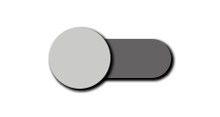 | Switching | A toggle switch in the inventwo style. |
 | Checkbox | Checkbox for a yes/no value. |
 | slider | Numerical value with heading, unit and separate color scheme for rail and handle. |
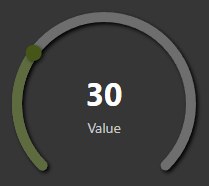 | Radial slider | The same value as a ring, for brightness or temperature. |
 | Dropdown | Drop-down menu for a value list. |
 | Value list | Turn text into a list: Choose separators, choose bullet points, skip empty entries. |
 | Table | Sortable table from a JSON data point. |
| Running text | A continuous text for messages. | |
 | calendar | Monthly overview. |
 | Appointment calendar | Appointments as a list, for example from the adapterical . |
The sentence for vis 1
vis-inventwo It has around 27 building blocks. It has grown in two generations, and this is reflected in the product range: The older ones explicitly state that they will no longer receive new functions and that the newer ones should be used. The following are affected:Switch ,Switch Small ,Button ,Button Small ,Navigation ,Navigation Small ,Background ,Background Small and the oldImage .
Her successor isUniversal He can do everything the nine of them could together, and he is cared for. In addition, there are...Multi ,Grid ,Colorpicker , the color sliders,Simple Slider horizontal and vertical,JSON Table ,Value List ,Radiobutton List ,Checkbox/Radiobutton andMarquee .
!> AtMarquee The vis-1 sentence contains a warning in the palette that it does not work in all browsers. In vis-2, there is a new scrolling text option for this.
Things to pay attention to
Colors. The design relies on its dark background. On a light-colored page, the tiles look out of place. If you're using inventwo, it's best to set the view to dark from the start.
Installing both sets simultaneously is possible, but rarely necessary, and each installed set is loaded when a page is opened.