- Initial start-up Fist time access to the Device
- Setup the adapter Setup the ioBroker Adapter
- TCP/IP Network Settings Setup the adapter network
- Controllers Settings Device setup
Initial start-up
When you connect the device for the first time, it may be useful to enter the network data.
These steps are optional and only required to use the device on another, remote network outside of the local network of the ioBroker instance
- To do this...
- Connect the device to the same network in which ioBroker is also located. No Docker, VPN or other subnet. 1
- Install and start the adapter with default settings.
- Got to the Configuration and switch to the "Device Remote Setup" tab
- Run the device scan.
 There are two possible error messages that result in no devices being found2, 3
 - If you have more than one device active, select the one you want in the "Device Id" dropdown box.
- Put the desired address data in the appropriate input fields4
- Now install the device in the target network
Door Access Controllers Settings
TCP/IP Network Settings
Network interface
From the list, select the network host adapter to which you have connected your device. 4
- Special addresses
0.0.0.0All available interfaces (Default)127.0.0.1Only local host network (for the simulator)- All others can be used if you know what you want. e.g. VPN, Docker etc...
Sender-Port
Default is 60000. Without error message from the network there is no need the change that.
Receiver-Port
Default is 60099. Without error message from the network there is no need to change that.
Connection Timeout in milli seconds
Default is 2500 (2,5 seconds). Timeout for any communication over the network. Do not change without consultation. Values below 1000 and above 10000 can work for the time being, but always lead to errors in real operation.
Heartbeat Interval in milli seconds
Default is 300000 (300 seconds == 5 minutes). Time in between two attempts to establish a standard connection to the device to decide if it's alive. Values below 60000 and above 900000 can cause unwanted side effects that are difficult to analyze.
Maximum time deviation in milliseconds
Default is 60000 (60 seconds == 1 minute) Maximum time deviation in milliseconds. If the deviation is larger, the controller clock is recalibrated. Values below 1200 milliseconds are ignored and the calibration is switched off.
Low Level Debug
Default off. If enabled the raw network communication was logged to the debug log. No need to change without a request from a developer.
Controllers Settings
Device setup for forward and reverse channel via the network. Use the + / add and the trash per available device. There are two options for communication between the host (ioBroker) and the device. Limited Broadcast and dedicated network setup (Unicast & Directed Broadcast). 5
Serial Number
The serial number of your device.
Model Type
Enter the Door Model
Limited Broadcast 5
Add only the serial number and the Model-Type and no other address / network data.
In this case, all components must be in the same subnet. This includes both the sender (controller) and the receiver (ioBroker). This can be recognized by the same gateway address and network mask on both components.
In all other cases, ALWAYS use "dedicated network setup".
Dedicated network setup (Unicast & Directed Broadcast) 5
Please enter all address data...
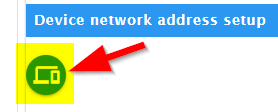
Device network address 5
The publicly known IP address (Unicast) of the device on the remote network. 4 6
Exposed Server Host address 5
The publicly known IP address (Unicast) of the ioBroker instance on the remote network. 4 6
Exposed Server Host port 5
The publicly known IP port of the ioBroker instance on the remote network after NAT 7 and Docker-Exposed 8 .
Changelog
1.0.1 (2026-07-20)
- Bugfix: Controller heartbeat crash when serial number passed as string to UHPPOTE API
- Fixed i18n syntax error in Chinese translation (admin/words.js)
- Fixed README.md H1 heading validation (E6025)
- Resolved GitHub master branching violation (removed feat/user-management-foundation merge)
1.0.0 (2026-07-07)
- Node.js >= 22 required (Node.js 20 EOL)
- js-controller >= 6.0.11 required
- Migrated to NPM Trusted Publishing (no more classic NPM tokens)
- Migrated to ESLint 9 with
@iobroker/eslint-config - Added Dependabot configuration with auto-merge
- TypeScript 5.x, removed deprecated
common.materialize node:prefix added to all built-in module imports- Added UHPPOTE simulator based regression tests and release preflight scripts
0.4.7 (2024-11-05)
- Fix for ioBroker.BOT see issues
- Changes to new dependencies Node 22.x, Admin 5 and JS-Controler 5.0.19...
0.4.6 (2022-03-18)
- Documentation
- Translations
- Cosmetic improvements
- Fix for Repository PR1720.
0.4.5 (2022-03-11)
- Bugfix: error in workflow
0.4.4 (2022-03-11)
- Structur Native uAPI-Framework
- user action for setTime
- setup docs
0.4.3
- setTime if device is running out
- add per Controller the Model (1-, 2- and 4-Doors)
- add info direction
0.4.2 (Beta)
- Remote network setup
- Broadcast device communication
- Remote device communication
- Bug ::Found uncleared intervals:: change clearInterval to adapter.clearInterval
- special remoteDoorOpen (in other contex change net-access-mode unmotivated to broadcast)
- device lowlevel debug enabled (from UHPPOTE framework connect to ioBroker log)
- add various "silly" log messages
0.4.1-beta
- Small blemishes fixed and translation completed
0.4.0-alpha
- First working package
Initial release
License
GPL-3.0-only
Copyright (c) 2024-2026 kbrausew kbrausew@magenta.de