**Tests:
This adapter uses Sentry libraries to automatically report exceptions and code errors to the developers. For more details and instructions on disabling error reporting, please refer to the Sentry-Plugin Documentation! Use of Sentry reporting starts with js-controller 3.0.
alexa-shoppingList adapter for ioBroker
Generates the shopping list from Alexa.
You can also use other lists from Alexa - configure this in the admin settings. Using the new Admin UI makes this much easier.
There is a state for inserting new items: just enter the text and press Enter. You can delete active and inactive lists. You can also move individual items in both directions.
I hope you enjoy
If you like it, please consider a donation:

DataPoints
| DP Name | Type | Description |
|---|---|---|
| add_position | String | Type Text to insert in the list |
| delete_activ_list | Button | Clears the active list and moves it to the inactive list |
| delete_inactiv_list | Button | Clears the inactive list |
| position_to_shift | Number | You can insert the position number of the item move, than button to_active_list or to_inactive list |
| list_active | JSON | The activ list as JSON |
| list_active_sort | Switch | You can sort the active list by name or by insert time |
| list_inactive | JSON | The inactive list as JSON |
| list_inactive_sort | Switch | You can sort the inactive list by name or by insert time |
| to_activ_list | Button | First insert position_to_shift and than press the button to move to activ_list |
| to_inactive_list | Button | First insert position_to_shift and than press the button to move to inactiv_list |
| Attribute in JSON | Descripton |
|---|---|
| name | Name of the Item |
| time | Timestamp of insert |
| id | id in the Alexa2 Adapter |
| pos | Position in the list |
| buttonmove | Button to move to active or inactive list |
| buttondelete | Button to completely delete the item |
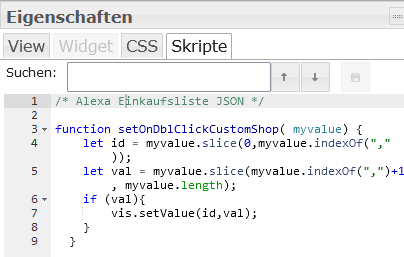
The JSON contains now 2 Buttons to move Items or to delete. For this you have to insert Code in the VIS Editor under Skript, put this in:
 /* Alexa Einkaufsliste JSON */

function setOnDblClickCustomShop( myvalue) {
    let id = myvalue.slice(0,myvalue.indexOf(","));
    let val = myvalue.slice(myvalue.indexOf(",")+1, myvalue.length);
    if (val=== "true"){
      vis.setValue(id,true);
      return
    }
    vis.setValue(id,false);
  }
Changelog
1.1.5 (2026-06-04)
- CHORE: Update dependencies
1.1.4 (2026-06-04)
- CHORE: Add unit tests
- (copilot) Adapter requires node.js >= 22 now
- CHORE: Update dependencies
- CHORE: #203 Issues reported by repository checker
- CHORE: #193-Repository-Checker
1.1.3 (2025-11-29)
- CHORE: Update dependencies
- FIX: Error reported by sentry
1.1.2 (2025-09-20)
- CHORE: #145 Update dependencies
1.1.1 (2025-08-13)
- FIX: Error reported by sentry
Older changelogs can be found there## License
License
MIT License
Copyright (c) 2021-2026 MiRo1310 michael.roling@gmx.de
Permission is hereby granted, free of charge, to any person obtaining a copy of this software and associated documentation files (the "Software"), to deal in the Software without restriction, including without limitation the rights to use, copy, modify, merge, publish, distribute, sublicense, and/or sell copies of the Software, and to permit persons to whom the Software is furnished to do so, subject to the following conditions:
The above copyright notice and this permission notice shall be included in all copies or substantial portions of the Software.
THE SOFTWARE IS PROVIDED "AS IS", WITHOUT WARRANTY OF ANY KIND, EXPRESS OR IMPLIED, INCLUDING BUT NOT LIMITED TO THE WARRANTIES OF MERCHANTABILITY, FITNESS FOR A PARTICULAR PURPOSE AND NONINFRINGEMENT. IN NO EVENT SHALL THE AUTHORS OR COPYRIGHT HOLDERS BE LIABLE FOR ANY CLAIM, DAMAGES OR OTHER LIABILITY, WHETHER IN AN ACTION OF CONTRACT, TORT OR OTHERWISE, ARISING FROM, OUT OF OR IN CONNECTION WITH THE SOFTWARE OR THE USE OR OTHER DEALINGS IN THE SOFTWARE.