The admin adapter is used to configure the whole ioBroker-Installation and all its adapters. It provides a web-interface, which can be opened by "http://:8081" in the web browser. This adapter is automatically installed together with ioBroker.
Configuration
The configuration dialog of the adapter "admin" provides the following settings:
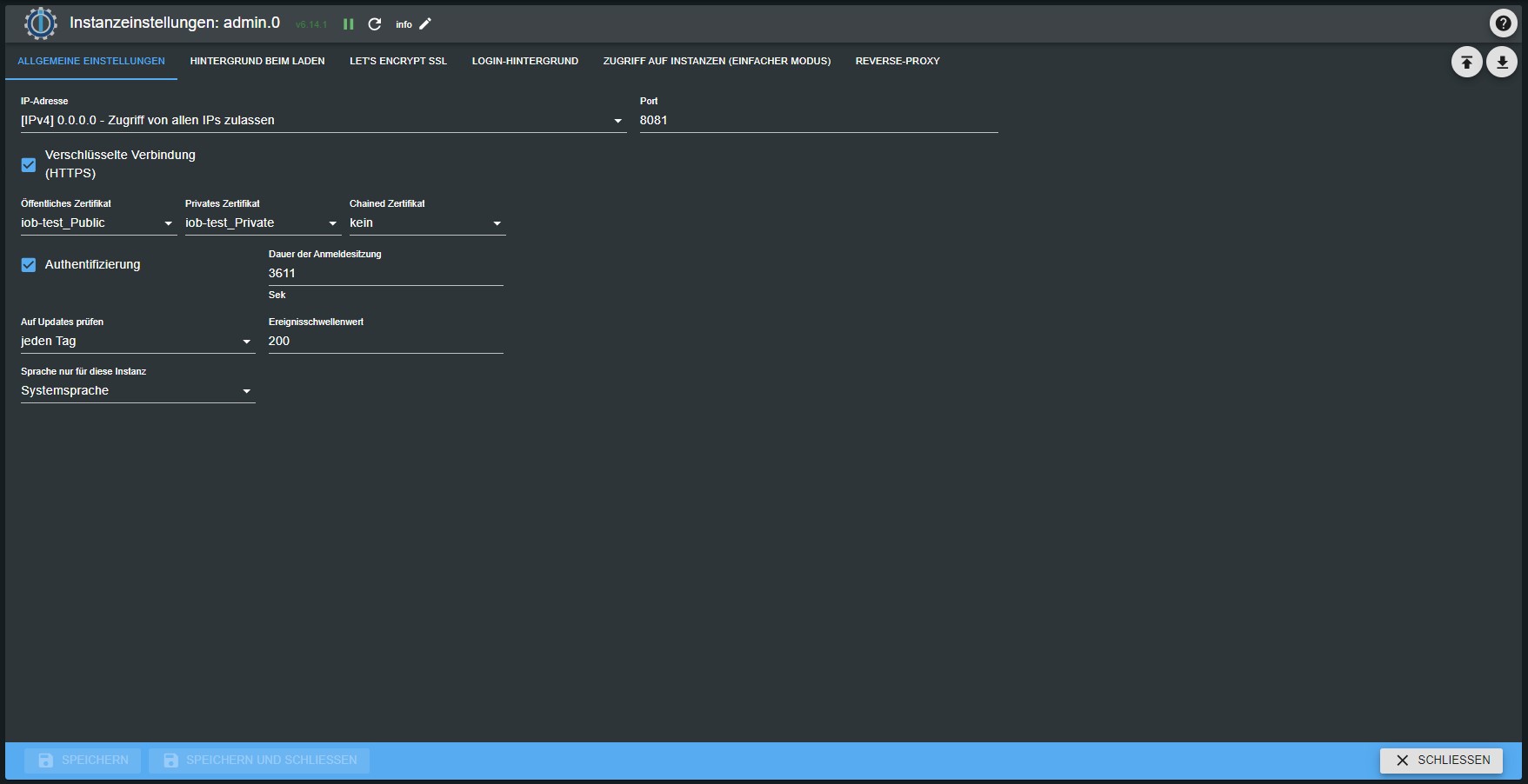
IP: the IP-address of the "admin" web-server can be chosen here. Different IPv4 and IPv6 addresses can be selected. The default value is 0.0.0.0. If you think, that 0.0.0.0 is invalid setting, please let it stay there, because it is absolutely valid. If you change the address, you will be able to reach the web-server only through this address. Port: You can specify the port of the "admin" web-server. If there are more web servers on the PC or device the port must be customized to avoid problems of a double port allocation. Coding: enable this option if secure https protocol should be used.
Authentication: If you want the authentication with login/password you should enable this check-box. Default password for user "admin" is "iobroker" Buffer: to speed up the load of the pages enable this option. Normally only the developer wants to have this option unchecked.
Handling
The main page of the admin consist of several tabs. Adapter: Here the instances of a adapters can be installed or deleted. With the update button

on the top left we can get if the new versions of adapters are available.
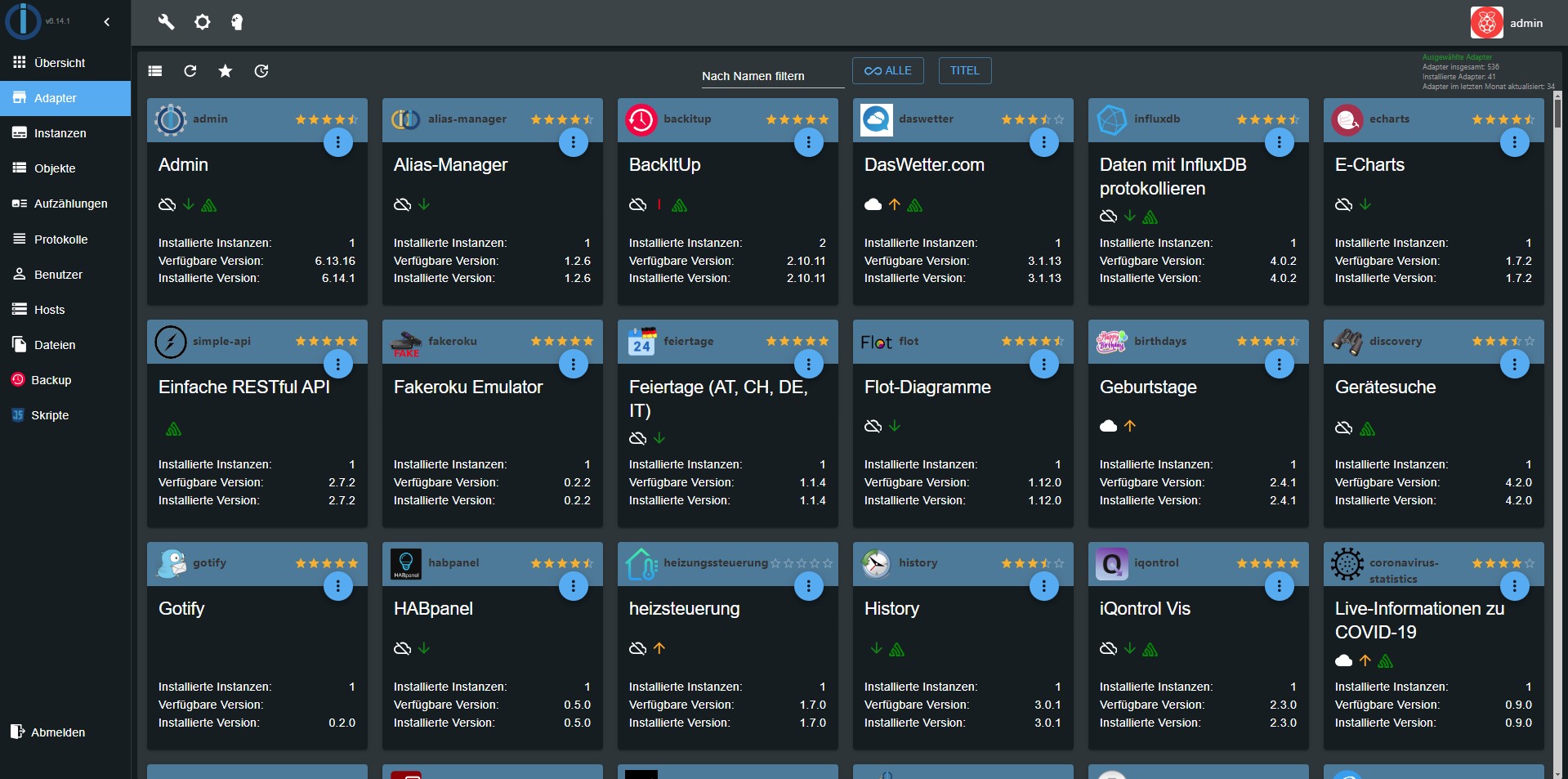
The available and installed versions of the adapter is shown. For overall view the state of the adapter is coloured (red=in planning; orange=alpha; yellow=beta). The updates to a newer version of the adapter are made here also. If there is a newer version the lettering of the tab will be green. If the question mark icon in the last column is active you can get from there to web site with information of the adapter. The available adapter are sorted in alphabetical order. Already installed instance are in the upper part of the list.
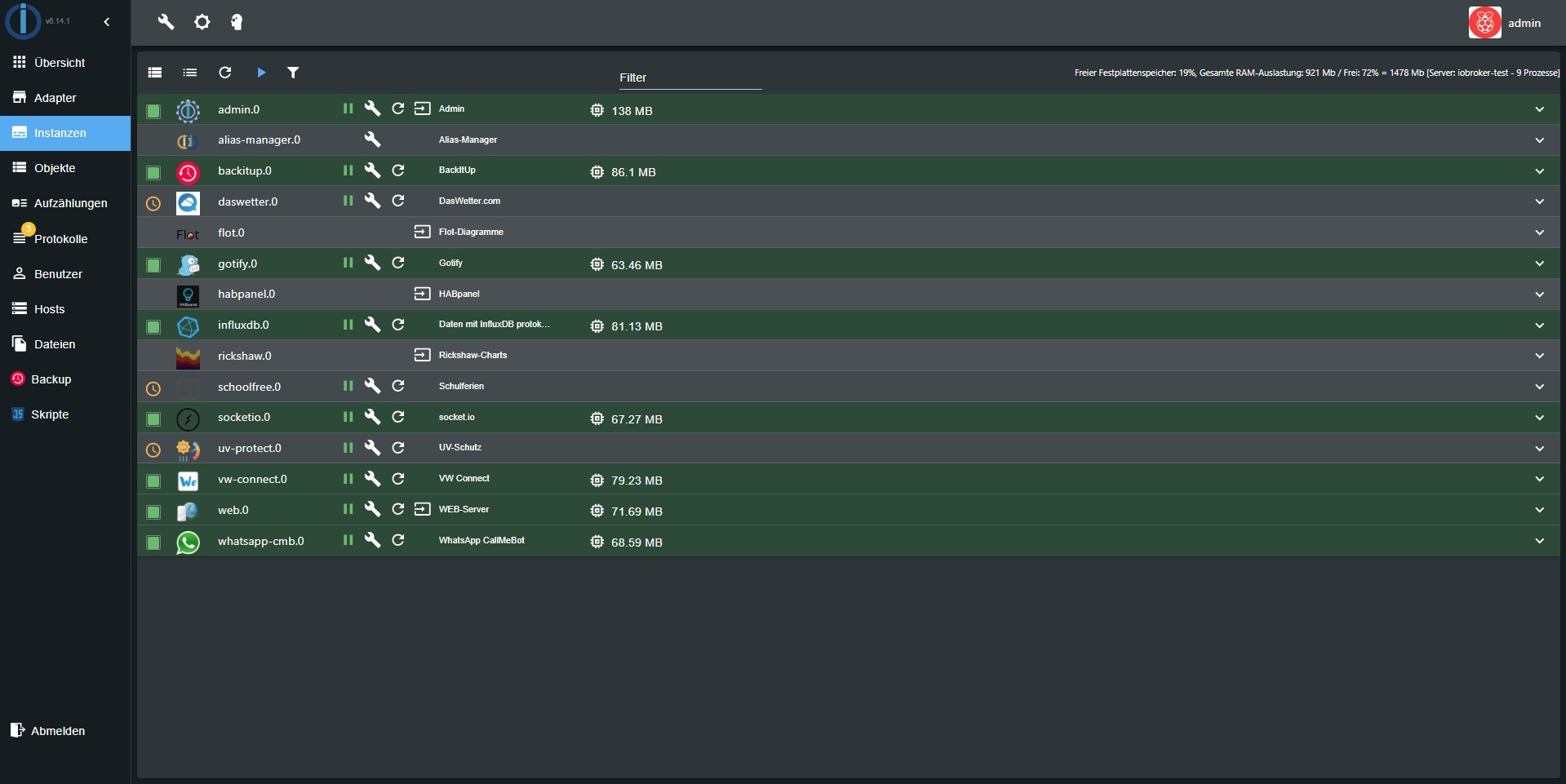
Instance: The already installed instance are listed here and can be accordingly configured. If the title of the instance are underlined you can click on it and the corresponding web site will be opened.
Objects: the managed objects (for example setup / variables / programs of the connected hardware)
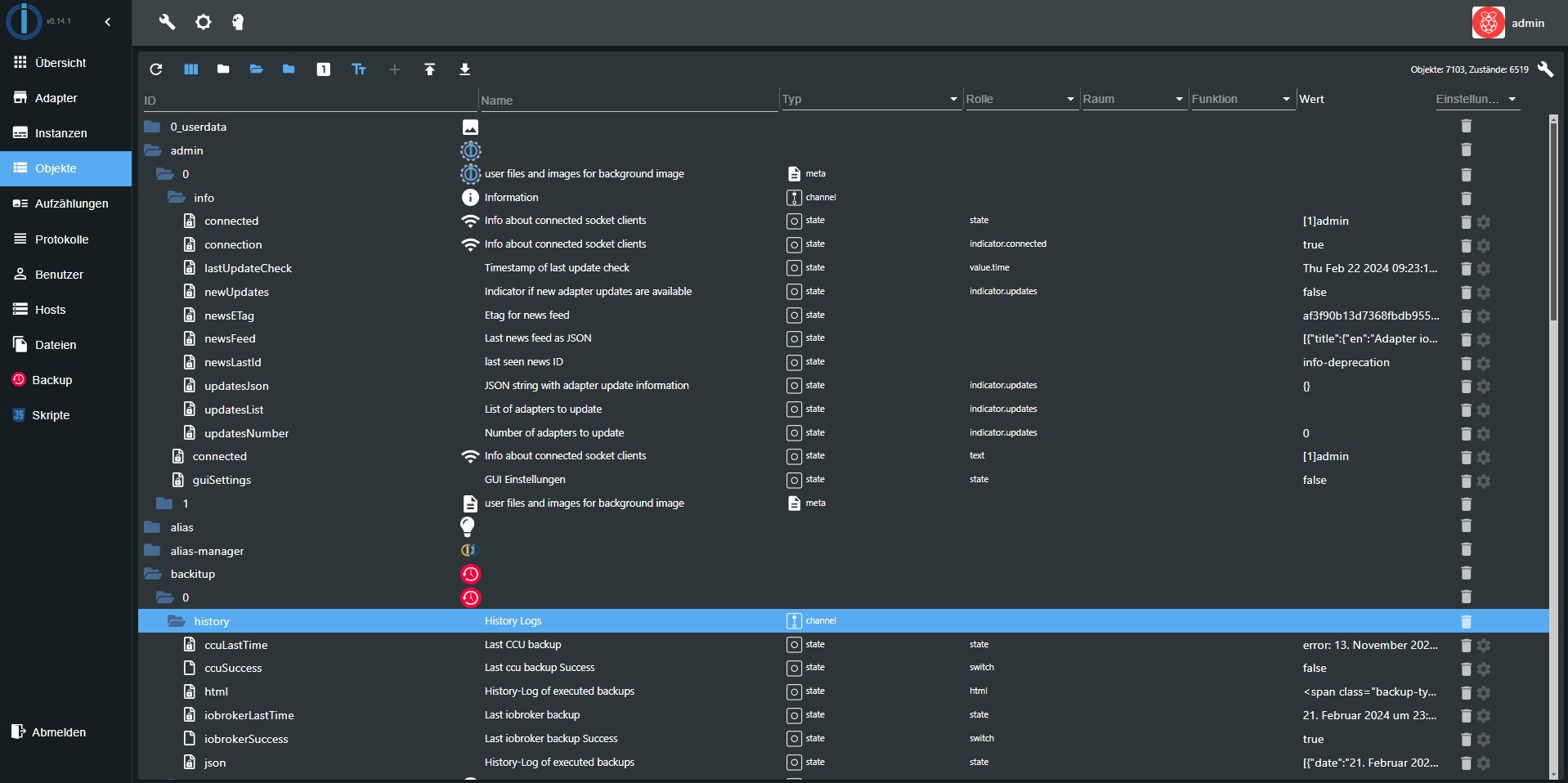
States: the current states (values of the objects) If the adapter history is installed, you can log chosen data points. The logged data points are selected on the right and appear with a green logo.
Scripts: this tab is only active if the "javascript" adapter is installed.
Node-red: this tab is only visible if the "node-red" adapter installed and enabled.
Hosts: the computer which ioBroker is installed on. Here the latest version of js-controller can be installed on. If there is a new version the letters of the tab are green. To search for a new version you have to click on the update icon on the bottom left corner.
Enumeration: here the favourites, trades and spaces from the CCU are listed.
Users: here the users can be added. To do this click on the (+). By default there is an admin.
Groups: if you click on the (+) on the bottom left you can create user groups. From the pull-down menu the users get assigned to the groups.
Event: A list of the running updates of the conditions.
Hosts: Information about the computer on which ioBroker is installed. The current version of the js controller can be updated here. If a new version is available, the label of the tab appears in green.
Log: here the log is displayed In the tab instance the the logged log level of the single instance can be set. In the selection Menu the the displayed minimum log level is selected. If an error occurs the lettering of the log appears in red.
System settings: Settings such as language, time and date format and other system-wide settings are made in the menu that opens here.
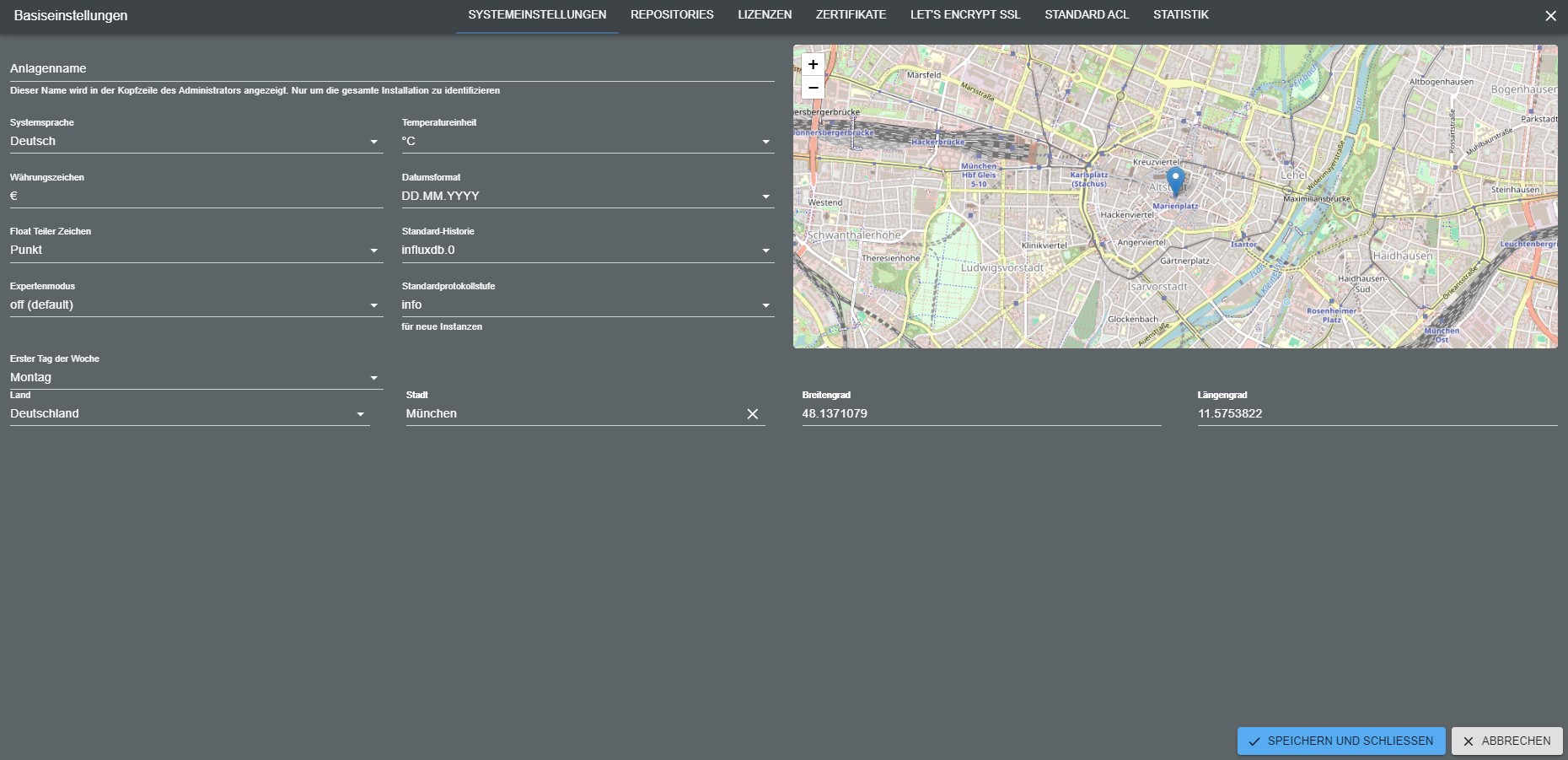
The repositories and security settings can also be set here.
Changelog
8.0.14 (2026-09-15)
- (@GermanBluefox) Fixed: the old, non-React adapter configuration pages stayed bright in the
modernDarktheme. Their stylesheet only knows the theme names that existed when it was written, soadapter-settings.jsmaps every newer name -modernDark,modernLightand the vendor themes - down onto the plaindark/lightit descends from. React-based configurations are untouched: they take the theme from the local storage and keep the new designs - (@GermanBluefox) Fixed: after saving an enum (e.g., a new icon) or dragging an object into it, the "Enums" tab showed only this one enum until the page was reloaded. The collected changes did not start from a copy of all enums any more, so the list was rebuilt from the changed enum alone; deleted enums did not disappear either
- (@GermanBluefox) Added: the object list on the right side of the "Enums" tab can be hidden with a new toolbar button, and the choice is remembered. While it is hidden, a hint explains that states, channels and devices are added by dragging them from this list
- (@GermanBluefox) Added: every enum in the "Enums" tab has an "Add objects" button, which opens the object selection with multi-select - adding members no longer requires drag and drop
- (@GermanBluefox) Fixed: dropping a folder that is not an object itself (e.g.
0_userdata.0.lights) onto an enum showed only a "TODO" alert. Now it asks whether to add the states, channels and devices found below it - (@GermanBluefox) Fixed: enum members whose object was deleted were hidden silently but stayed in the enum. They are shown now with a warning and can be removed
- (@GermanBluefox) The "Enums" tab reads the members of all enums with a few bulk requests instead of one request per member
- (@GermanBluefox) The icon selection of enums, users and groups offers the new icon library of
@iobroker/gui-components: 448 icons in 15 categories with names in all languages and a search, next to the classic room and device icons - (@GermanBluefox) Fixed: rooms created by the setup wizard got the file name of their icon (e.g. "Living Room") instead of the icon itself, so they were shown without an icon
- (@GermanBluefox) The room and function templates are taken from
@iobroker/gui-componentsnow, the admin's own copy of the template icons was removed - (@GermanBluefox) New layout of the "Enums" tab: a compact list of the entries of a category on the left (nested entries like floors can be opened and closed), the details of the selected entry in the middle and the object list on the right, which collapses into a narrow bar. The details group the members by device or channel and show their role, their current value and the rooms or functions they belong to - a click on one of them opens it. Objects, members and entries can be dragged onto the list and onto the details. On narrow screens the list and the details are shown one after another
8.0.12 (2026-09-09)
- (@GermanBluefox) Updated
@iobroker/json-configto 10.x, which does not bringreact-aceany more: the admin hands its own editor in with the new propertyAceEditor. Until now every custom component of every adapter carried the wholeace-buildsin its bundle, although only three of the sixty controls ever show an editor - (@GermanBluefox) Added the "Did you know ...?" dialog. It shows one tip about the admin when it is opened, and one can leaf through the tips. The checkbox in the dialog switches it off for the whole installation, and the system settings switch it on again ("Tips at start")
- (@GermanBluefox) Fixed: the assistant switched the reasoning of an OpenAI-compatible endpoint off as soon as a base URL was configured. That is right for a small local model and wrong for everything else - in front of a proxy that serves a hosted model it turns off the reasoning one is paying for. The chat settings have a "Reasoning effort" selector now, and its default leaves the parameter out and lets the endpoint decide. A model that refuses function tools while reasoning still gets
noneautomatically, as before, because it says so itself - (@GermanBluefox) Fixed: the admin sent the user to the login page and sometimes logged them out for good, when the access token expired while the browser tab was in the background. The refresh timer of a hidden tab fires late, and the server cut the connection the very second the token expired. Together with the new
@iobroker/socket-classesand@iobroker/socket-clientthe connection now refreshes the token when the server asks for it, and a refresh that was already done by another tab is no longer mistaken for an invalid login - (@GermanBluefox) Fixed: the login page threw the stored tokens away when its token refresh failed because another tab had renewed them in the meantime, which logged out every tab
- (@GermanBluefox) Added the setting "Stay logged in for" (days). Until now the login without a password was renewed for one week at most
- (@GermanBluefox) Fixed:
/sessionalways reported an expired session, as it looked up the second character of the access token instead of the token - (@GermanBluefox) The help text of "Login timeout" explains that the value is the lifetime of the access token, which is renewed automatically while the admin is open
- (@GermanBluefox) Fixed with the new
@iobroker/gui-components: the object browser lost the column widths as soon as the objects page was left and opened again, the checkboxes of the states view columns had no effect while "Auto" was off, the buttons column could not be resized, and switching "Auto" off left the table with nothing but the ID column after a reload: https://github.com/ioBroker/ioBroker.admin/issues/3616 - (@GermanBluefox) Fixed: an adapter could be updated, although a dependency was not fulfilled. The update dialog showed the dependency in red, but the check behind the button did not know
globalDependencies, where an adapter declares which admin version it needs. Both now come from the same place, which also covers the other hosts of a multihost setup: https://github.com/ioBroker/ioBroker.admin/issues/3614 - (@GermanBluefox) Intro was redesigned
8.0.11 (2026-09-01)
- (@GermanBluefox) CI: requests to a host that is not running (e.g. in adapter tests without js-controller) are answered immediately with a timeout error, so the GUI does not wait for its read timeout
- (@GermanBluefox) Fixed: clearing the adapter name filter showed an empty adapter list instead of all adapters
8.0.9 (2026-08-31)
- (@GermanBluefox) The discovery dialog opens on the result page when the last scan left proposals that are not ignored
- (@GermanBluefox) The discovery button carries a badge with the number of proposals that are neither created nor ignored
- (@GermanBluefox) Added the option to create the first instance directly after the installation from npm/GitHub/URL/file, if the adapter has no instance yet
- (@GermanBluefox) Updated web socket server
- (@GermanBluefox) Improvements of the device manager
8.0.8 (2026-08-27)
- (@GermanBluefox) Added the option to answer ACME HTTP-01 challenges of the acme adapter
- (@GermanBluefox) Fixed the CORS headers missing on the OAuth2 endpoints. They answer without passing the request on, so retrieving a token from a browser on another origin failed with
No Access-Control-Allow-Origin header is present. The CORS middleware is now registered in front of all routes - (@GermanBluefox)
src-admin/src/version.jsonis now generated frompackage.jsonat build time, so the version logged by the GUI is no longer stale
License
The MIT License (MIT)
Copyright (c) 2014-2026 bluefox dogafox@gmail.com