Files tab
In addition to objects and states, ioBroker also manages files: icons, images, adapter configurations, and the pages of vis. This tab is the file manager for these.
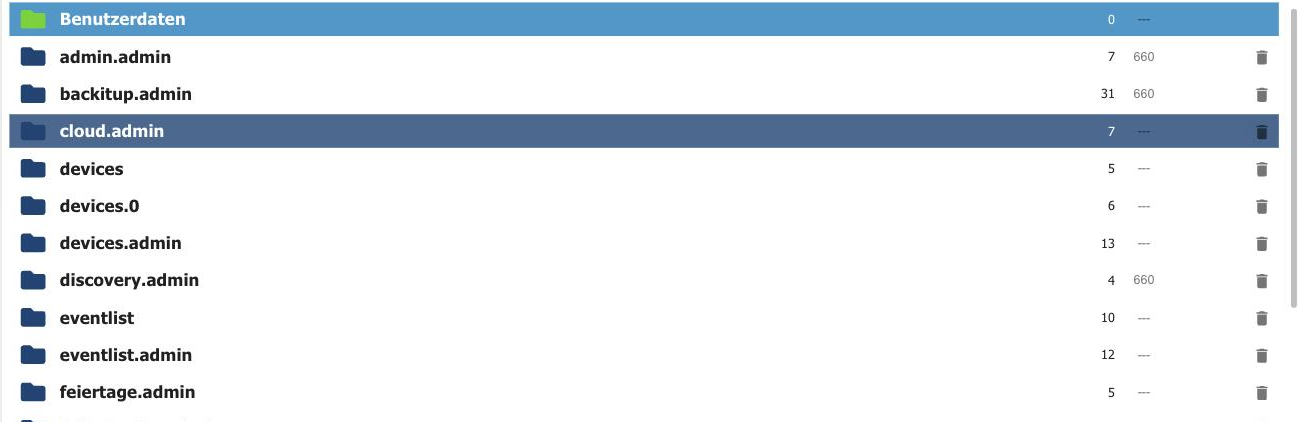
Each adapter gets its own directory, usually<adapter>.admin for the files of its configuration interface. At the very top is User data (0_userdata.0 This is where your own files belong, such as images for a visualization.
To the right of each entry are the number of files contained and the access rights.
The toolbar

| No. | function |
|---|---|
| 1 | Switch view between list and tiles. |
| 2 | Hide empty directories. |
| 3 | Reload. |
| 4 | Create a new directory. |
| 5 | Upload file : also via drag and drop. |
| 6 | Toggle the preview background so that images with a transparent background can be judged. |
The adapter directories belong to the respective adapter. If it is updated, it will overwrite its files. Therefore, store your own files under User Data . They will be preserved there.
Files can also be read and written from within a script. How to do this is explained under File Storage .