The summer of 2026 was anything but dull, and this edition reflects that: we've compiled 72 adapters for you.
22 of them are new to the stable repository and ready to use immediately, while the remaining 50 are in the latest repository and are waiting for testers.
The focus is once again on energy and e-mobility (Hoymiles, Victron GX, Solakon ONE, Tesla Wall Connector, go-e Charger), but cameras, multimedia, and system tools are also well represented.
And there are a few real rarities: Formula 1 live data, flight tracking from your window, and a sauna control system with a learning heating prediction feature.
The most exciting new addition, however, comes from the project itself: ioBroker.assistant, a voice assistant that unleashes a speech model directly on your states via tool calling.
Under the hood, it was probably the biggest overhaul in a long time: at the beginning of August, **Admin, JavaScript, Devices, and IoT were migrated to React 19 and MUI 9 within just a few days. Therefore, starting with version 8, Node.js 22 is the minimum requirement for the admin interface. Please check before updating!
Core Updates
Admin 7.9.x → 8.0.5
The admin has upgraded to version 8. The biggest single event of this period.
- ⚠️ Node.js 22 is mandatory from Admin 8.0.1 onwards. Anyone still running Node 20 or older must update beforehand.
- React 19 + MUI 9 (v8.0.1) – the entire user interface has been updated to the new major versions. Adapter configuration pages with custom components should be briefly checked after the update.
- Security fix (v8.0.2) – the authentication of OAuth2 callbacks has been corrected.
- Revised Initial Setup Assistant (v8.0.5) – modern layout, reverse navigation and many detailed corrections.
- Minor fixes: duplicate tiles in Quick Access when multiple
webinstances are present (v8.0.5), save button and validation in Custom Settings (v8.0.2–8.0.4), folder selection in the Alias dialog.
The AI assistant, familiar from the last review, is of course still on board.
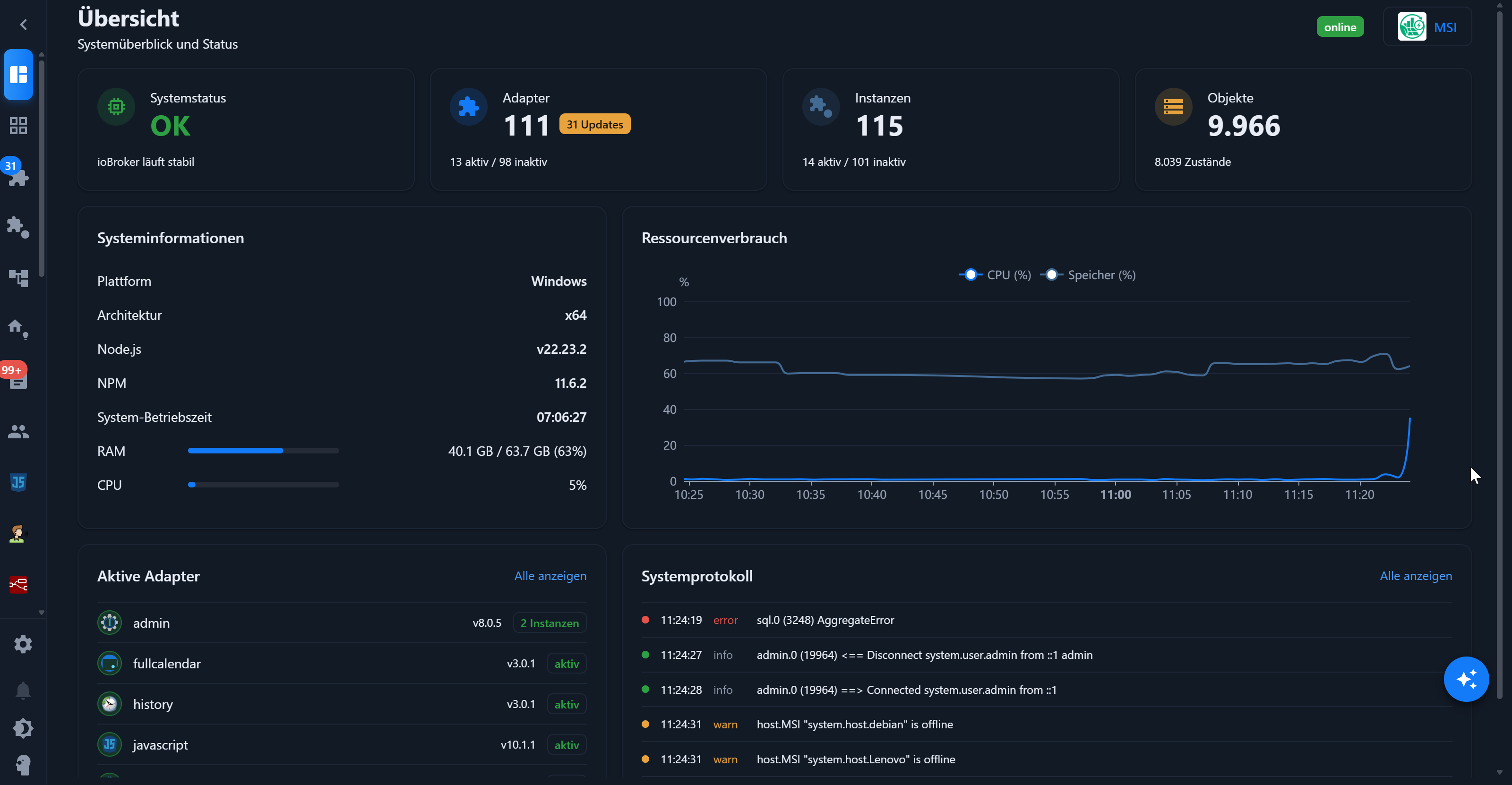
This is what it looks like in practice. The overview page with system status, resource consumption, and system log at a glance:
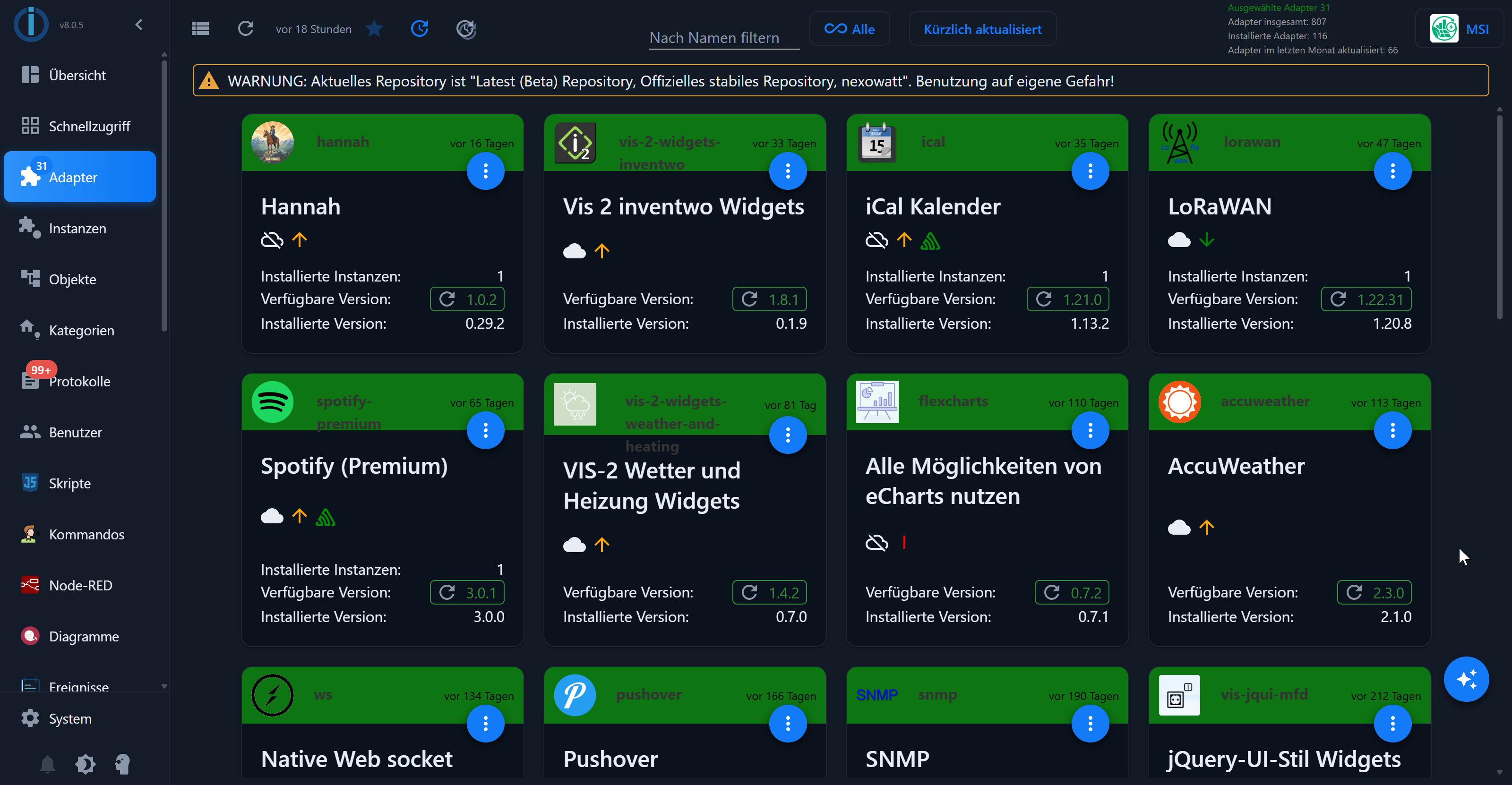
And the adapter list in the tile view, sorted by "Recently Updated".
Practical for quickly seeing what's new:
Js-controller 7.2.2 “Milla”
Things have remained deliberately quiet regarding the js-controller during this period: The current version is still 7.2.2 from June 16, 2026 in the stable repository. Only nightly pre-release versions of the 7.2.3-alpha.x series were available on GitHub; these are not intended for production use.
Among the fixes planned for version 7.2.3 are two from @krobipd: Failed adapter installations were incorrectly reported as successful under npm ≥ 10.6.0, and automatic ENOTEMPTY recovery did not clean up the blocking npm temp directory.
🔗 js-controller changelog on GitHub
Vis-2 2.14.x → 2.15.4
vis-2 has received several noticeable improvements:
- ⚠️ Changed HTML IDs (v2.14.4) – Widgets that appear in multiple views are now called
v<view>_<widget>instead of<view>_<widget>. Anyone who has built their own CSS or scripts around these IDs needs to update them. - A crashing widget no longer takes the entire view down with it (v2.15.0) – instead, a placeholder appears.
- Relative widgets can once again be rearranged via drag & drop (v2.15.0), including a semi-transparent preview. The old arrow buttons have been removed.
- Editor Fine-tuning (v2.15.0) – new name tags on widgets, blue hover highlighting, and a common frame for multiple selections. Also includes MUI CSS variables (
--mui-palette-*) for custom themes. - Important fix for cloud users (v2.15.4) – Widget sets such as
vis-2-widgets-material,echarts,openweathermap,fullcalendar, andvis-2-widgets-energyno longer loaded via the cloud. Local installations with names likeiobroker.fritz.boxwere also incorrectly treated as cloud installations. - Module Federation (v2.15.0) – MUI is now shared per version instead of as a singleton, so widget sets can bring their own MUI version.
Important Adapter Updates
IoBroker.javascript 9.3.1 → 10.1.2
The JavaScript adapter has jumped to version 10 and cleaned things up considerably in the process.
- TypeScript 6 and React 19 / MUI 9 (v10.0.0)
- ⚠️
strictis disabled again for scripts (v10.1.0) – TypeScript 6 enabled it by default, which would have broken numerous existing scripts. Those who wish to enable it can find the compiler options in the new "TypeScript" tab in the settings. - Access data directly in the script (v10.1.1) – the credentials stored in the admin are available as
SECRETS(e.g.,SECRETS.CameraPassword.key), decrypted, read-only, and updated live. The editor autocompletes afterSECRETS., and Blockly has a new "credential" block. - Blockly 11 → 13 (v10.1.0) – Blockly now comes from the npm package instead of the repository; all block definitions have been converted to TypeScript. The generated code remains unchanged, and custom blocks from other adapters will continue to run.
- ⚠️ Blockly users should upgrade directly to 10.1.2: Under Blockly 13, scripts with named timeout, interval or schedule could no longer be saved – the save button simply did not appear.
- Fixed typing of external libraries (v10.1.0) – Previously, everything from additionally installed libraries was treated as
any, and theioBroker.*types were completely missing. Both of these issues have now been resolved. - New Rule Wizard (v10.1.0) – builds a rule step by step from trigger, condition and action and shows the finished result at the end.
- Data Security (v10.1.0) – Scripts are no longer deleted from the database if the entire mirror directory is lost, for example because a network share is not mounted.
IoBroker.devices 3.0.2 → 4.1.1
The Devices adapter has also been updated to a major version.
- React 19 and MUI 9 (v4.0.0), plus min/max values of the last 24 hours or day for widgets with history.
- ⚠️ Important Data Fix (v4.1.1) – Older versions wrote states without
common.read/common.write. When loading the device list, these states are now automatically repaired once to prevent a writeable state from incorrectly remaining read-only. Users of version 4.0.x should update. - New Widgets (v4.0.2) – button, buttonSensor, camera and vacuumCleaner no longer display "Widget type not supported". The media player now has a mute function and separate volume feedback, and the blind widgets have gained the missing tilt controls, including a stop button.
- New device types and an improved tank widget (v4.1.0) – Manually added data points now reach the widget GUI, so that a tank can display, for example, the remaining liters in addition to the fill level.
- Appearance (v4.0.2) – “Blue dark” has been redesigned to a deep navy look, category icons now have colored round badges, and new role icons for UV index, RPM, operating hours, and W/kW/Wh have been added. Info devices are no longer hidden by default, and there are user-defined views.
IoBroker.iot 6.1.3 → 7.0.1
The IoT adapter was also migrated to TypeScript 6 and React 19 on August 6, 2026.
There were no further changes to the content.
New adapters in latest – Testers wanted!
These 50 adapters are located in the latest repository and need exactly what the community does best: testing, providing feedback, and reporting bugs. Anyone who wants to participate should switch to latest in the admin panel under System → Repositories and keep in mind that this is beta software.
Incidentally, some of this has now been rectified: some of these adapters have been in the repository for quite some time and were overlooked in recent releases for various reasons. This doesn't make them any less interesting. On the contrary, some already have a considerable user base.
Voice assistants and AI
IoBroker.assistant – the voice assistant from the ioBroker team

Category: Logic / Voice Assistant Developer: ioBroker
The most exciting new addition in this review comes from the project itself. ioBroker.assistant is an LLM-powered voice and text assistant that you ask questions to in natural language, and which then reads and toggles any ioBroker state. No rigid rule set, no painstakingly maintained virtual device tree: The language model directly calls the native ioBroker API via tool calling.
"Is there still a window open?", "How warm is it in the living room?", "Set the blinds to 50%", "Make the kitchen warm white" - these are the kinds of sentences for which the adapter was built.
Three stages instead of one cloud request The response pipeline is cleverly designed: Each request goes through up to three stages and stops at the first one that can answer it.
- Rule-based speech recognition, offline and instant – recognizes simple commands (on/off, dim, color, status) in German, English, and Russian. No device, no cloud, no cost.
- Local LLM, optionally enabled – a small model via
node-llama-cppthat can be installed with the push of a button (preset Qwen2.5-1.5B-Instruct). It forwards data to the cloud as soon as it needs current device data. - Cloud-LLM with Tool-Calling – the full assistant that knows the device list and accesses ioBroker via tools.
Available providers include OpenAI, Anthropic (Claude), Google Gemini, and DeepSeek, as well as a free OpenAI-compatible endpoint for your own servers. The API key can be stored encrypted within the instance or – from js-controller 7.2 onwards – in the central access data store from the last review.
You decide what the assistant is allowed to do.
Under the hood, the adapter integrates the @iobroker/mcp-server and makes its tools available to the model. It can read and write states, list devices, rooms, and functions, query history, logs, files, and system information. It also includes dedicated tools for timers, alarms, weather, and a long-term memory (remember / forget) that allows you to remember facts beyond individual conversations.
That is precisely why rights management is the most important part of the configuration:
- Enable categories individually – Writing to states is on by default, logs and files are off
- Object and file modifications are explicitly marked as dangerous in the interface and are disabled by default.
- A device ACL allows separate read and write access for each device. Locks are write-protected by default, sensors and cameras are read-only, and buttons are not visible at all.
- The system prompt is visible and customizable – among other things, it requires that a tool is actually used before any statement about ioBroker and that no values are invented.
Operation and Language
Questions can be asked via the test chat directly in the instance settings, via state (assistant.0.text.request / .response) or from a script using sendTo('assistant.0', 'ask', { text: '…' }).
The most convenient way, however, is via Telegram: Connecting is one-click – simply select the Assistant instance in the Telegram instance, and you're done. This allows you to easily query your smart home via message, from anywhere and without an additional app. The conversation context is kept separate for each source, so follow-up questions like "and the kitchen too?" work the same in the Telegram chat as they do in the test chat.
For hands-free operation, there are satellites – small microphone and speaker units for each room. The corresponding adapter ioBroker.assistant-satellite transmits the audio directly via the ioBroker message bus, so no additional port needs to be opened. Alternatively, existing Hannah satellites (ESP32, via UDP) can be integrated; an experimental Wyoming endpoint opens the door to Home Assistant Voice PE and ESPHome voice devices.
Wake word detection runs on the satellite, while speech-to-text and text-to-speech are handled centrally in the adapter – optionally via OpenAI, Azure, and AWS, or entirely locally with Vosk and Piper.
Announcements work in reverse as well: write text or an audio file after assistant.0.tts.text, and all satellites will speak. Each satellite has volume, mute, and do-not-disturb settings – a leading ! in the text overrides this, for example, !Wasserleck im Keller.
Requirements
- Admin 8 and Node.js 22, js-controller from 6.0.11 – those who have already updated the Admin are ready to go.
- For cloud models, an API key from the respective provider is required; completely local solutions use rule detection, local LLM, and Vosk and Piper.
- ⚠️ The adapter is still in its early stages and is explicitly described in the documentation as “early proof-of-concept”. So: try it out, yes – but don't build your heating control system on it yet.
🔗 [GitHub page of the adapter · German instructions · Satellite adapter · Satellite adapter](https://github.com/ioBroker/ioBroker.assistant-satellite)
IoBroker.mcp – the interface through which AI clients communicate with ioBroker
Category: Integration / AI Interface Developer: ioBroker
The most important adapter on this list first: ioBroker.mcp now has almost 1,000 installations, is at version 1.1, and is the only one in this section to have already reached stable. It is the technical foundation under the entire AI wave of recent months – and therefore worth a closer look.
The Model Context Protocol (MCP) is an open standard that allows AI applications to access external systems. This is achieved not through guesswork in free text, but through clearly defined tools.
This adapter turns your entire ioBroker installation into such an MCP server.
A language model can then selectively read data points, control devices, query history, or view the log. Every access occurs via a defined function, not through a roundabout way.
What the server offers
Read and diagnostic: Values of single or multiple states (also with wildcards like hue.0.*.brightness), object search by name, role, room, or adapter, the room-grouped device list from the type detector, instances, adapters, hosts, rooms, and trades.
In addition, history queries with aggregations from min/max/avg to percentiles and integrals, access to logs and files, system information – and even a ping_host for network diagnostics if an adapter reports a connection error.
Particularly useful: Using search_adapter_repository, the model can search the complete adapter repository, including those not yet installed. This provides a well-founded answer to the question "Which adapter do I need for my wallbox?".
For writing, there are set_state and set_states. The latter sets multiple values in a single call, i.e., "all lights off" as a single action. Creating objects, generating scenes, and writing files is also possible, but disabled by default.
States, objects and logs are also available as subscribeable resources (iobstate://…, iobobject://…, ioblog://…): The client receives push notifications of changes instead of constantly querying.
Operation and Safety
The adapter can optionally run independently on its own port (default 8011) or as an extension of an existing web instance, in which case it shares its port, authentication and certificates.
Two factors determine safety:
- The default user. Every request is made on behalf of an ioBroker user, presumably
admin. All access is subject to this user's permissions. Entering a restricted user here limits, in one step, what an AI client can see and interact with. This is the most effective setting of the entire adapter. - Two enable switches. "Set states" is on by default, "Object and file changes" is off by default. If the latter is disabled, the relevant tools are not even offered to the model, so it cannot even accidentally access them.
Since version 1.1.0, OAuth has been available: Clients like Claude Desktop log in via browser login, instead of manually copying tokens back and forth. The client never sees the ioBroker password. For everything except localhost, HTTPS is mandatory, and the public address must be configured behind a reverse proxy.
How it relates to ioBroker.assistant
Both adapters access the same packet @iobroker/mcp-server, but in different directions:
- ioBroker.mcp provides the tools externally for third-party AI clients such as Claude Desktop.
- ioBroker.assistant integrates the same tools internally and brings its own language model.
Requirements: js-controller from 6.0.11, Admin from 7.6.20. Current version is 1.1.0 from 04.08.2026.
🔗 Adapter GitHub page · Model Context Protocol
IoBroker.hannah

Category: Voice Assistant Developer: OnlyBadLuck
The alternative to the cloud assistant, and a recurring topic in the forum for months: Hannah is an open-source, locally running voice assistant with its own ESP satellites. This adapter is the bridge between Hannah Core and ioBroker.
- Bidirectional gRPC stream with automatic reconnect – all current values are transferred at once upon connection.
- Device detection across rooms and trades, plus free state prefixes for everything not in the enums.
- Announcements to individual satellite rooms or specifically to a person, even from within Blockly
- System messages from the Notification Manager are reformulated into understandable sentences using a speech model before being announced.
- Satellite management in the admin panel including web flasher, volume control, mute function and firmware update
Requires a running Hannah Core instance with gRPC enabled and the residents adapter.
Energy and Photovoltaics
IoBroker.goodwe

Category: Energy / Solar Developer: typhosj
With nearly 200 installations, the most used new addition in latest: The adapter reads GoodWe hybrid inverters of the ET, EH, BH and BT series directly in the LAN – via EMS Modbus protocol over UDP, completely without cloud.
Features:
- Network Search: The adapter scans its own subnet and offers detected inverters with IP address, model, serial number and version for selection.
- Full tab according to protocol specification: Device data, runtime values for PV1 to PV4, grid and backup phases, battery, BMS and power limitation
- Error and warning codes as plain text instead of as a bit field – active messages are directly readable in the state.
- Seven optional register groups can be activated individually; anything not supported by the model is automatically skipped after a timeout.
- Adjustable timeout and retries for UDP communication
Do not confuse:
There are two GoodWe adapters with almost identical descriptions, and both have their place.
They are based on the same original design by Thomas Schönberger, but are developed independently: goodwe is the original version continued via a fork and is significantly more feature-rich, while goodwe-pv by hombach is a leaner reimplementation with its own adapter ID – meaning both can be installed in parallel.
IoBroker.goodwe-pv

Category: Energy / Solar · Developer: Hombach
Reads GoodWe hybrid inverters of the ET, EH, BH and BT series locally via UDP – the counterpart to the goodwe-sems presented above, which takes the cloud route.
- Modbus over UDP directly in the LAN, completely without a SEMS portal
- Four data sets with staggered polling – only one request per second
- Battery and BMS data as separate data points
- Continuously updated descriptions and corrected ioBroker roles
🔗 GitHub
IoBroker.goodwe-sems

Category: Energy / Solar Developer: buste
Reads inverter, battery, and energy flow data from the GoodWe SEMS portal. Designed for systems without LAN access to the inverter that cannot be read via Modbus.
- Registration with the normal SEMS portal account, no organizational account required
- Asset ID is automatically detected; manual entry is required for accounts with multiple assets.
- States for station, daily and total yield as well as PowerFlow (PV, load, grid, battery) and wallbox
- Optional, experimental battery telemetry via a second GoodWe API
- Detects the portal's rate limit and automatically takes a cooling-off break.
⚠️ The adapter uses an undocumented API, which GoodWe can change at any time.
IoBroker.sax-power

Category: Energy / Battery Storage Developer: GodHunter
Connects ioBroker to SAX-Power battery storage systems via the Dashboard API, with live values and historical statistics, also aggregated across multiple storage systems.
- All storage systems associated with the account are automatically detected.
- Live values for PV generation, household consumption, grid and battery power, and state of charge
- Energy statistics for day, week, month, year and total
- Cycle counter from SAX plus verifiably calculated full cycle equivalents
- Dedicated React dashboard in the admin panel that exclusively reads ioBroker states – without additional cloud queries.
IoBroker.sunenergyxt500

Category: Energy / Storage · Developer: Creekhail
Integration and self-consumption control for SunEnergyXT-500 hybrid storage via the local HTTP API – without the manufacturer's cloud.
- Up to three storage towers in one instance, with aggregated total values
- Writable control fields with feedback confirmation: grid setpoint, feed-in limit, SoC limits
- Dedicated self-consumption controller in the adapter, which works with any ioBroker meter data point
- Alternatively, the device's own control system can be used, but then only with selected meters.
🔗 GitHub
IoBroker.anker-solix
Category: Energy / Storage · Developer: MatthiasUlrich1
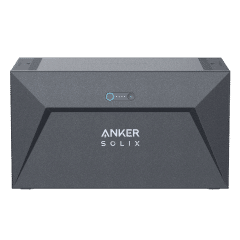
Integrates Anker Solix systems – solar panels, smart meters, power stations, and wallboxes.
A port of the familiar Home Assistant integration.
- Optional entity groups: by default only the core is active to keep the API load low.
- Separate intervals for plant and device data
- Modbus-only mode without any cloud access data
- Custom VIS display with animated energy flows
⚠️ Uses the unofficial Anker Cloud API and requires Python 3.12; macOS is not supported.
🔗 GitHub
IoBroker.octopus-energy-monitor

Category: Energy / Tariffs · Developer: tipp88
Collect daily consumption data from Octopus Energy and Inexogy and compare both – to uncover discrepancies between your own smart meter and the utility company's billing.
- Automatic tariff recognition including time windows and cost calculation in euros
- Hierarchical history by year, month and day with individual billing periods
- 15-minute values can be written directly to InfluxDB or SQL without bloating the object tree.
- Control of smart charging for wallbox and electric car as well as price calculation according to §14a EnWG
🔗 GitHub
IoBroker.ai-energy-manager

Category: Energy / Energy Management · Developer: blabond
Connects ioBroker to a SmartEnergy backend for dynamic tariffs, PV forecasts, battery management and wallbox control.
- The backend provides the plant structure, the adapter generates the appropriate data point tables from it.
- Telemetry upload with automatic unit normalization between Wh, kWh, W and kW
- Previous, current and next quarter-hourly price of the selected tariff
- Battery commands with explicit write protection – only what has been configured is written.
🔗 GitHub
IoBroker.eebus-go

Category: Energy Management / EEBUS Developer: FernetMenta
An adapter with a very specific purpose: It turns ioBroker into an energy manager as defined in §14a of the German Energy Industry Act (EnWG).
It communicates with the FNN control box via EEBUS and distributes its power output specifications to the user's own energy consumers.
- Two EEBUS use cases, independently activatable: LPC (consumption limitation, §14a EnWG) and LPP (generation limitation, §9 EEG)
- Cascading: The adapter acts as a control box counterpart and simultaneously manages energy for downstream devices. The 4.2 kW output can be distributed among the wallbox, heat pump, and other devices according to user-defined rules.
- State machine according to EEBus specification including bilateral heartbeat and failsafe fallback
- Devices without EEBUS can also be integrated as "manual" consumers, for example a relay via script.
- States for limit value, dimming duration and the legally limited daily dimming time of two hours
⚠️ Requires a separate Docker container with enbility's EEBUS implementation, to which the adapter connects via gRPC.
IoBroker.absaar

Category: Energy / Solar · Developer: TheBam1990
Reads inverter and system data from Absaar EMS devices via the Absaar app cloud.
- Login using the app access data; the adapter handles token management.
- Daily, monthly and total yield, current output, CO2 counter
- Inverter values for AC, PV1 and PV2, temperature, battery and load
- Optional raw JSON data points for debugging
🔗 GitHub
IoBroker.advansol-optimizer

Category: Energy / Module Optimizers · Developer: TheBam1990
Reads and controls the AdvanSol module optimizer via a TCP-to-RS485 bridge.
Evolved from a community-created JavaScript script.
- Automatic detection of connected optimizer modules
- Input and output voltage, current, power, total energy and temperature per module
- Switchable MOS per module with repeat logic, since the RS485 converter does not acknowledge every command.
- Configurable night window during which polling is paused – without PV voltage, the modules do not respond anyway.
🔗 GitHub
IoBroker.iometer

Category: Energy / Electricity Meters · Developer: torben-iometer
Integrates the IOmeter smart metering device locally – and comes directly from the manufacturer.
- Local server-sent event streams with automatic reconnect, i.e., true push values instead of polling.
- Total active power and power per phase, import and export energy including tariffs 1 and 2
- Device data: Firmware, Wi-Fi and radio signal strength, battery level, mounting status
- Data points are created at the first event; multiple counters can be created in parallel.
🔗 GitHub
IoBroker.wattcycle

Category: Energy / Batteries · Developer: ioBroker
Reads WattCycle and XDZN LiFePO4 batteries via Bluetooth LE
- Cyclic querying of a configurable battery list with selectable Bluetooth adapter
- Per battery: state of charge, voltage, current, power, capacity, cycles, cell spread, temperatures and individual cell voltages
- Generator unit
totalfor parallel-connected batteries - Bluetooth scan directly from the adapter configuration
Requires Linux with BlueZ and access to the Bluetooth socket.
🔗 GitHub
IoBroker.utility-monitor
Category: Consumption / Additional Costs Developer: fischi87
The "utility cost monitor" monitors gas, water, electricity and PV using existing sensors and calculates costs, deductions and the expected additional payment.
Features:
- Multiple meters per medium, for example, main meter and workshop meter separate
- Cost accounting including labor costs, basic and annual fees; the payment monitoring shows at any time whether a payment is due or a credit balance is due.
- Full HT/NT support on a daily, weekly, monthly and annual basis, plus automatic gas conversion from m³ to kWh via calorific value and state factor
- The annual reset occurs at the contract start date, not on January 1st.
- CSV import of historical meter readings via drag & drop, plus reminders for meter readings and tariff changes
Works with any existing sensors – Shelly, Tasmota, Homematic and others.
Heating, air conditioning and pool
IoBroker.luxtronik2 controller
Category: Climate control / Heat pump · Developer: TbsJah
Controls heat pumps with Luxtronik-2.x control (Alpha Innotec, Novelan, Buderus) purely locally.
- Direct TCP communication, without an external Luxtronik library
- Compressor protection through cycle optimization – Heating and hot water requirements are bundled
- Macros for forced heating, hot water demand and circulation pump
- The circulation pump can be switched via external actuators to save EEPROM write cycles of the controller.
⚠️ A misconfiguration can cause the system to malfunction. A reset must then be performed on-site.
🔗 GitHub
IoBroker.heishamon

Category: Climate control / Heat pump · Developer: Tobias Hanss
The Panasonic Aquarea protocol communicates directly over a serial line. Without a HeishaMon module, without ESP, and without an MQTT broker in between.
- Direct serial communication at the CN-CNT port, optionally via RS485 converter for long distances
- 157 data points with matching roles and units, write commands for all writable parameters
- Read-only mode for listening only, even in parallel with an existing HeishaMon installation
- Connection statistics including frame counters, CRC errors and timeouts
⚠️ Explicitly Early Release: Field testing on a real heat pump is still pending, and soldering is required inside the opened device.
🔗 GitHub
IoBroker.siku

Category: Climate Control / Ventilation · Developer: ChrMaass
Integrates decentralized ventilation units SIKU RV V2 and the compatible Oxxify smart series purely locally via UDP.
- Broadcast search on the network, multiple devices in one instance
- Writable data points for power, fan speed, operating mode, timer and humidity setpoint
- Complete weekly schedule as data points, with four periods per day
- Filter countdown, operating hours and alarm level; the device's clock is reset as needed.
🔗 GitHub
IoBroker.clage-dsx

Category: Home Technology / Instantaneous Water Heaters Developer: TheBam1990
Connects ioBroker to a CLAGE Home Server and the instantaneous water heaters registered to it – purely locally via HTTPS, without cloud.
Features:
- Comprehensive measurement data: flow and return temperature, flow rate, valve position, power output, heating status, operating hours, radio signal quality
- Writable: Setpoint temperature, flow limit including ECO and AUTO modes, scald protection, load shedding and signal tone
- Timer management via JSON – create, modify and delete directly via data points
- Total consumption, last dispensing and consumption history over 30 days
- Adaptive polling: active devices are polled more frequently
Destructive actions such as logging out of devices are intentionally not permitted.
IoBroker.fairland

Category: Pool / Heating · Developer: dude2k
Integrates Fairland pool heat pumps and pool pumps via the iGarden Cloud, including rebranded devices such as Madimack.
- Supports heat pumps and water pumps; unknown device types are logged and skipped.
- Automatic selection of the appropriate regional server
- Configurable query interval from 10 seconds to one hour
- Optional diagnostic data points with the raw values
⚠️ iGarden usually only allows one active session per account. A second, shared account is required for simultaneous use with the app.
🔗 GitHub
IoBroker.midas-aquatemp

Category: Pool / Heat Pump Developer: MiRo1310
Controls and monitors pool heat pumps from Midas and Poolsana via the Linked-Go Cloud.
Features:
- Writable: On/Off, set temperature, operating mode and silent mode
- Measured values for flow and return, ambient and compressor temperature, power consumption and voltage
- Error code, error level and plain text message as well as an
onlinestate for cloud availability - Selectable API level and alternatively, direct connection via the MAC address if automatic device detection fails.
⚠️ A second, separate account is required for parallel operation with the app. Confirmed compatibility includes Poolsana InverterPro 17 and 21, Prime 8, and XPS-50.
IoBroker.pondpump

Category: Garden / Pond Developer: ssbingo
Controls and monitors OASE AquaMax Eco Titanium pond pumps via the OASE Garden Controller.
Optionally via the cloud or completely locally on your own network.
- Two operating modes:
cloudorlocal; locally, inventory, telemetry and control run without the cloud via a TLS server to which the controller connects back. - Switching the pump on and off, setting the speed
- Live telemetry with every poll: power, motor speed, temperature, mains voltage
- Gateway and connected pumps are automatically detected
- Login exclusively via refresh token, which the adapter itself rotates – the account password is never saved.
Garden and Vehicles
IoBroker.husqvarna-automower-connect

Category: Garden Developer: bust
An actively maintained fork of the well-known Automower adapter by ice987987, which uses the official Husqvarna Automower Connect API: Status is received via WebSocket, commands are sent via REST.
- The write commands have been fixed. Originally, commands for start, parking, cutting height, time, and headlights were rejected by the API due to a faulty request body.
- Full API coverage: error confirmation, mowing areas with their own cutting height, restricted zones, and error and event history
- Parking until the next scheduled time, indefinitely, or for X minutes; start with a specified duration or within the selected mowing area
- Reset the blade change counter as described in the app
- Read data: Battery, mode, error code, GPS position and capabilities
Requires a free developer account with Husqvarna and its own application key.
IoBroker.anthbot-genie

Category: Garden / Robotic Lawn Mowers · Developer: reloxx13
Unofficial cloud adapter for Anthbot Genie robotic lawnmowers. With remarkably detailed telemetry.
- Automatic detection of the bound mowers including regional server
- Comprehensive diagnostics: RTK fix and base station, antenna warning, firmware progress, WLAN, mobile network, obstacle detection
- Control of complete, zone, edge and spot mowing, cutting height, noise level, mowing direction and rain behavior
- Map images as PNG – native map, RTK mowing area mask and historical mowing path
- Consumable lifespans for charging contacts, cameras and knives with reset buttons
🔗 GitHub
IoBroker.automatic-feeder
Category: Garden / Pond · Developer: ssbingo
Turn any existing switching object into a time-controlled automatic feeder – socket, relay or GPIO, as long as it can be switched.
- Up to five independent switches with fixed times or intervals and their own feeding duration
- Locks based on water and air temperature, oxygen content and astronomical daylight window
- Dynamic feeding according to the Q10 model – Interval and portion adapt to the water temperature, plus a winter season with reduction
- Monitoring whether the switch was actually activated, via Telegram notification
🔗 GitHub
IoBroker.omoda

Category: Vehicles Developer: AlanSRU
Connects Omoda and Jaecoo vehicles (Chery Group) via the same cloud backend used by the manufacturer's app.
- Status: Doors, windows, sunroof, locking mechanism, engine, air conditioning, tire pressures and temperatures
- Location with GPS position, speed and direction of travel
- Battery and charging: state of charge, electric and total range, charging power, remaining charging time
- Commands: Lock and unlock, climate control with target temperature, GPS query, wake vehicle
- Registration via one-time code, telemetry via MQTT with bidirectional TLS
⚠️ As with other vehicle adapters: create a delegated secondary account, otherwise the app and adapter will disconnect each other from the session. An incorrect PIN can lock the account.
Household and Building Technology
IoBroker.electrolux-aeg

Category: Household Appliances Developer: TA2k
Integrates connected household appliances from Electrolux and AEG via the official cloud service – washing machine, dryer, dishwasher, etc.
Features:
- Login using the access data of the manufacturer's app, brand selection between Electrolux and AEG
- Object tree for each device with the three areas remote control, status and events
- Live events via WebSocket in addition to polling
- Alarm summary per device, as well as buttons for start, stop and update.
⚠️ Breaking Change in 0.0.9: The object IDs of the devices have been cleaned up – scripts, aliases, VIS and history need to be adjusted.
IoBroker.zeptrion

Category: Household / Building Automation Developer: bueste
Controls Feller-zeptrion WLAN actuators (zApp gateway and zApp booster) for lights and blinds via the local zrap web service API, hardware widely used in Switzerland.
- Switching, dimming, controlling blinds and recalling scenes, each also time-controlled
- Near real-time updates via long polling, supplemented by cyclical reconciliation
- Automatic device search via mDNS – Found items are deactivated and appear in the table and must be enabled.
- Hail Alarm Batch Commands: close, open or stop all blinds, bundled into a single command per device
- Optional position estimation for blinds over the motor's runtime, as the hardware itself does not report a position.
Completely local, no cloud account required.
Visualization
IoBroker.vis2-materialdesign

Category: Visualization / Widgets · Developer: typhosj
For everyone still stuck on VIS 1 because of Scrounger's Material Design widgets: This adapter ports the set natively to VIS 2. The migration path many have been waiting for.
- Large widget set: Value, Slider, Round Slider, Progress, Switch, Checkbox, Button, Select, Input, List and Table
- Automatic population of widget fields from object metadata – Name, unit, min/max, decimal places, icon and room are automatically populated.
- Custom theme editor: Centrally define colors and fonts and apply them to widgets
- Bilingual documentation with widget catalog
🔗 GitHub
IoBroker.vis-2-widgets-technic

Category: Visualization / Widgets · Developer: Sefina-DS
A small, uniformly designed widget set in dark teal for windows, blinds, switches and dimmers.
- Window and roller shutter control as SVG, with automatic switching and quick selection 0/25/50/75/100%
- On/off switch with selectable icons and freely configurable colors
- 270° arc dimmer with pull-out knob and animated light beam
After installation, a hard reload in the browser is recommended.
🔗 GitHub
IoBroker.vis-2-widgets-automatic-feeder
Category: Visualization / Widgets · Developer: ssbingo
The corresponding dashboard for the automatic feeder mentioned above. Six ready-made maps, without having to search for object IDs.
- Six widgets: status, feeding control, environment, dynamic feeding, seasonal banner and animated feeder
- Selection via dropdown menu using instance and clear name; the widget itself sets all links.
- Dark, tablet-friendly card design with selectable accent color
🔗 GitHub
IoBroker.vis-mapwidgets

Category: Visualization / Widgets Developer: weweitman
A Leaflet map widget for VIS, whose entire content is controlled by a single data point. Practical for everything from attendance maps to GPS tracks.
Features:
- Markers with custom icons, lines for tracks, polygons, rectangles and circles, each with popup and tooltip
- Map center and zoom as separate widget properties
- Color scheme: light, dark, or automatic – the automatic setting follows the browser settings live.
- Toggleable day/night zone with adjustable color and opacity
- For advanced users: The Leaflet map object can be exposed and further processed using JavaScript.
The configuration dialog opens in vis with one click, in vis-2 with two Shift+clicks.
Multimedia and Surveillance
IoBroker.samsungtv

Category: Multimedia / Television Developer: softwarecrash
A completely new Samsung TV adapter that manages multiple devices in a single instance – the successor for all those struggling with the old samsung adapter.
Features:
- Automatic network discovery via SSDP and optional mDNS, separate object branch for each TV
- Tizen WebSocket API with pairing and tokens; for older H and J series, PIN pairing with automatic fallback.
- Control of power, volume, mute, channel, source, app launch and any keys –
control.keyunderstands bothKEY_*codes and short forms such asuporvolup - Device management via the Device Manager: Search, Add, Pair, Rename, Remove; the assignment remains stable even after renaming.
- Tokens are encrypted with the ioBroker system key and do not appear in the log or the interface; Wake-on-LAN is optional.
The adapter is deliberately named samsungtv to avoid conflicts with the old samsung adapter.
IoBroker.agent-dvr

Category: Security / Video Surveillance · Developer: iPod86
Connects ioBroker with AgentDVR/iSpy, mirrors all cameras as data points and includes its own live dashboard.
- Automatic detection of all cameras at startup
- Buttons for each camera for recording, snapshot, motion detection, arming and PTZ, plus system-wide profiles for present, absent and night.
- Dedicated dashboard with MJPEG, MP4 or WebRTC stream, real-time motion display, full screen with PTZ and recording timeline
- HTML gallery widgets for each camera and snapshots as Base64 for VIS
🔗 GitHub
IoBroker.cctvql

Category: Video Surveillance / AI Query · Developer: arunrajiah
Another adapter with a speech model connection: cctvQL overlays a natural language query layer on top of your own video surveillance. Questions like "Were there any people at the front door last night?" can be asked from scripts and Blockly.
- Write a question to a data point, the answer comes back as plain text, along with the recognized intent.
- Event querying across multiple systems: Frigate, Hikvision, Synology, Dahua, Milestone, ONVIF
- Data points per camera with the most recent event
Requires a self-hosted cctvQL server, provided as a Docker image.
🔗 GitHub
IoBroker.sky-remote
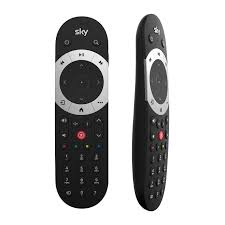
Category: Multimedia · Developer: AlanSRU
Sends remote control commands to Sky Q receivers over the network.
- Data points for all buttons on the remote control, from power to the color buttons to the numbers.
- Command sequences such as
"1,0,6"for channel selection or"tvguide,right,right,select"for navigation - Cyclic connection test
The connection is one-way – commands are sent, but there is no status feedback channel.
🔗 GitHub
IoBroker.blustream-acm
Category: Multimedia Developer: AlanSRU
Controls the Blustream ACM controller for audio and video distribution over IP. Senders and receivers are automatically detected and mapped as routing and status data points.
Four models are distinguished (ACM200, ACM210, ACM500, ACM1000). Only data points that the respective device is capable of generating are created.
- Video and audio routing together or separately, plus breakaway for IR, RS232, USB and CEC
- Audio matrix for Dante, analog and HDMI as well as ARC control
- Collective commands "apply to all displays", optionally image and sound, image only or sound only
- Two update levels; the more complex version runs automatically at night with a random offset.
IoBroker.blustream-mfp
Category: Multimedia / AV Technology Developer: AlanSRU
The larger sibling of the ACM adapter presented above: It controls AV switches and HDMI matrices from Blustream. Optionally via serial or network.
Features:
- 47 supported models, from the compact presentation switcher series to 16×16 matrices, video wall processors and a USB/KVM matrix The object tree is dynamically generated to suit the selected model. Outputs, audio, system, and network only appear where the device supports them.
- EDID management per input, CEC control, audio embedding, video wall mode with bezel compensation and presets
- Status feedback is read from the device tables; unknown tables are ignored instead of being guessed.
- Two connection methods: IP/Telnet or RS232, with command queue and automatic reconnect
IoBroker.blackmagic-atem

Category: Multimedia / Video Production · Developer: AlanSRU
Controls Blackmagic ATEM video switchers over the network, from the ATEM Mini to the Constellation 4K.
A niche product in the smart home world, but exciting for anyone who streams at home.
- Switching between program and preview, transitions including manual T-bar, fade to black
- Keyer, aux outputs, audio mixers and color generators
- Start and stop streaming and recording, with remaining time and storage capacity
- Automatic model recognition – only the data points that the recognized device can actually handle are generated.
🔗 GitHub
IoBroker.iiyama-prolite

Category: Multimedia / Digital Signage · Developer: AlanSRU
Controls professional iiyama ProLite displays of the LH series via RS232 or network – ideal for info screens and wall panels.
- Two connection methods: TCP/IP or serial interface
- Data points for power, input source and volume
- Image parameters from brightness and contrast to gamma and color temperature
- Wake-on-LAN, so that the display can also be woken up from standby.
🔗 GitHub
Network, Hardware and System
IoBroker.nut2
Category: Hardware / UPS Developer: krobipd
Monitors uninterruptible power supplies via Network UPS Tools. All devices registered with the NUT server are automatically detected and queried periodically.
- Data points are dynamically generated from what the respective UPS driver actually reports.
- Numeric values are entered as
numberwith unit instead of as a string - The status text is broken down into individual Boolean values (online, battery-powered, low battery, charging…) plus a calculated severity level.
- Switching commands and writable variables as buttons, disabled by default and secured via NUT user rights.
- Persistent TCP connection with automatic reconnect, optionally secured via STARTTLS
Requires js-controller version 7.2.2 or higher – slightly higher than usual.
IoBroker.creality

Category: Hardware / 3D Printing Developer: inventwo
Integrates Creality Klipper printers via two local interfaces simultaneously: Moonraker via HTTP and the proprietary Creality WebSocket.
Moonraker provides print statistics, temperatures, fan speed, filament box information, and G-code.
- The WebSocket adds features that Moonraker alone cannot provide: Toolhead LED, Pause/Resume/Stop, and remaining time.
- Separate fan states for the percentage value from the surface and the raw PWM value
- Object tree for the current job (progress, file, layer, active filament), printer information and temperatures
- Webcam URLs for integration into VIS or go2rtc
So far, only the SPARKX i7 has been tested; other Klipper models operate on a best-effort basis.
IoBroker.zte-mc888

Category: Network / Mobile Communications Developer: muraus
Reads LTE and 5G signal values of a ZTE MC888 – purely locally via the router's goform API.
- Network type and cell ID, both in hexadecimal and decimal formats
- LTE values: RSRP, RSRQ, SINR, RSSI, band, EARFCN, bandwidth and carrier aggregation
- Up to four LTE secondary carriers with their own active flag and full signal set
- 5G-NR primary cell with RSRP, RSRQ, SINR, band and NR-ARFCN
- Considerate: If the web interface logs in with the same user, the adapter pauses instead of retaking the session.
Without a login, the router only provides a few basic values – so registration should be enabled.
IoBroker.sevenio

Category: Notification / SMS Developer: iPod86
Connects ioBroker to the SMS and communication API of seven.io. This is useful wherever a message needs to arrive even without internet or an app.
- SMS sending via data point, Blockly module or
sendTo(), optionally as Flash SMS directly on the display - Voice calls where any text is read aloud
- Delivery status check approximately one minute after dispatch
- Contact management with synchronization from seven.io – Recipients can be specified by name instead of number.
- Balance monitoring and optional retrieval of incoming SMS messages
Costs are incurred per message; a rented phone number is also required for receiving messages.
IoBroker.icloud

Category: Location Tracking / Cloud Data · Developer: ticaki
Connects your Apple iCloud account to ioBroker. Much more comprehensive than the name suggests.
- "Where is it?": last known device locations, battery level, distance to named locations, audible alarm
- iCloud Drive with scheduled synchronization of local directories and BackItUp integration
- Read and write memories, contacts, calendars and photos
- Two-factor authentication via data points, or alternatively via security key directly in the admin panel.
⚠️ Version 2.0.0 and later requires Admin 8.0.1. Unofficial and not supported by Apple.
🔗 GitHub
IoBroker.metermaster

Category: Meter Reading Developer: MPunktBPunkt
Receives meter readings from the MeterMaster Android app, stores them as data points, and manages ESP32 displays that show the values.
- HTTP receiver with optional password protection; data points are automatically created during the first synchronization.
- The timestamp corresponds to the actual reading date, not the time of receipt.
- Custom web UI with trend charts, monthly consumption and CSV export per meter
- Import app backups via drag and drop
- ESP32 nodes can be configured from within ioBroker – including counter selection and LEDs.
IoBroker.airly

Category: Weather / Air Quality · Developer: tnowak
Get air quality data from Airly – particulate matter and air quality index for your location.
- Two modes: interpolated to your own coordinates or the nearest real measuring station
- Data points for PM2.5 and PM10 including their share of the limit value, as well as the index with level and description
- Only one call per query; the remaining quota is logged.
The free interface allows 100 requests per day – an interval of 20 minutes or more is recommended.
🔗 GitHub
IoBroker.iec104
Category: Protocols / Remote Control Technology · Developer: TheBam1990
Perhaps the most special adapter in this round: IEC 60870-5-104, the remote control protocol for power supply and control technology.
- Both operating modes: Master to the substation or slave that provides ioBroker data points
- General query after connection establishment, optionally cyclical, plus a read-only mode
- Configurable data point table with import and export
- Clear data point tree with separate folders for value, quality identifiers and timestamps
Requires expert knowledge of the protocol – address field sizes and transmission reasons need to be configured correctly.
🔗 GitHub
New adapters in stable
These 22 adapters have been added to the stable repository since the last review.
They can be installed normally from the adapter catalog, and we still welcome feedback, bug reports, and suggestions for improvement.
IoBroker.hoymiles

Category: Energy / Solar Developer: Ice Tea 82
This adapter integrates Hoymiles microinverters of the HMS-xxxW-xT and HMS-xxx-xWB series with integrated WiFi/Bluetooth DTU. Optionally locally, via the cloud, or both simultaneously.
Features:
- Local mode via TCP/Protobuf on port 10081 – completely without cloud
- Cloud mode via the S-Miles API with automatic inverter detection
- Cloud Relay: forwards locally received data to the Hoymiles cloud on behalf of the local connection so that the cloud upload is not blocked.
- Real-time data (power, voltage, current, frequency, temperature), values per PV string as well as energy aggregates for day, month, year and total.
- Commands: Active power limit 2–100%, inverter on/off/restart, DTU restart, reactive power, power factor
- 223 alarm and warning codes localized in 11 languages, AES-128 encryption for newer DTU firmware
Special features:
- Works only with HMS models with integrated WiFi – not with HM/MI series, external DTU-Pro/DTU-WLite or HMT three-phase units
- The WB series ("HiFlow Pro") does not have a local TCP port and runs exclusively via the cloud.
IoBroker.victron-gx
Category: Energy / Solar & Storage Developer: Sefina-DS
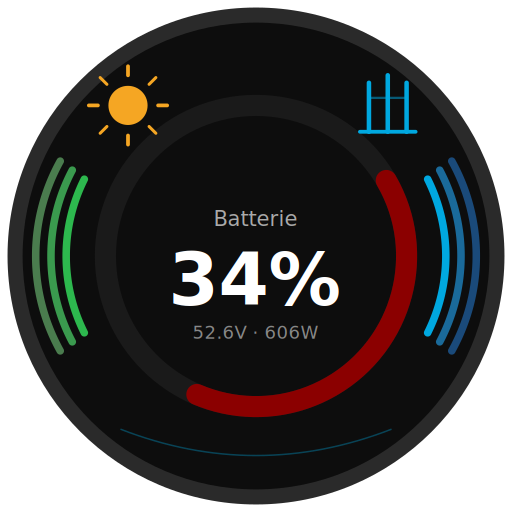
The adapter connects ioBroker directly and locally with Victron GX devices (Cerbo GX, Venus GX, Ekrano GX) without going through Home Assistant or the VRM cloud.
Features:
- Reading via local MQTT, writing and ESS control via Modbus TCP with automatic unit ID detection
- Automatic detection of all connected devices: battery/BMS, MultiPlus/Quattro, grid meter, PV inverter, AC loads, switches, wallbox, temperature and tank sensors
- ESS control:
GridSetpoint(0 = zero feed-in), live setpoint with 800 ms keep-live,DisableCharge/DisableFeedIn,MinimumSocand DVCC limits - Shelly integration via the GX Bridge – Shelly Pro3/Pro4 devices are combined into an object tree via their shared serial number; the GX-internal relay can also be switched.
- Virtual devices from Node-RED (
dbus-victron-virtual) are fully supported. - Admin tabs "Devices" and "All Topics" with JSON download
Special features:
- On the GX device, MQTT and Modbus TCP servers must be enabled with "Write access allowed" for control.
- The adapter is being actively tested in the forum; users are primarily looking for systems with three phases and different BMS.
IoBroker.solakon-one

Category: Energy / Solar Developer: berto-1974
This adapter reads and controls the Solakon-ONE hybrid inverter and battery storage system entirely locally via Modbus TCP (port 502). Completely without cloud services.
Features:
- PV data per string (
pv1topv4) including voltage, current and power as well as total yield - Battery data: SoC, SoH, charge/discharge power, total quantities and temperatures
- Three-phase network data (voltage, frequency, active/reactive power, power factor) including islanding flag
- Writable operating modes: Self-consumption, feed-in priority, backup, peak shaving, forced charging/discharging
- Minimum/maximum SoC and maximum charging and discharging current (0–40 A) are adjustable.
- Nine remote control modes with active/reactive power setpoint and timeout up to 3600 s
Special features:
- Modbus TCP must be enabled on the device, polling interval 1–300 s
- German-language documentation is available as
README.de.mdin the repository.
IoBroker.go-e-charger
Category: Energy / E-Mobility Developer: hombach
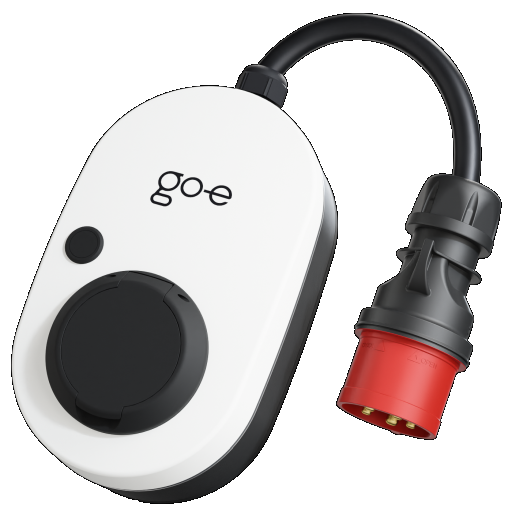
The adapter integrates one or more go-e-Charger wallboxes via their local HTTP API and also includes full-fledged PV surplus charging.
Features:
- Multiple wallboxes in one instance, poll cycle from 3 seconds
- ChargeNOW – instant charging with adjustable current
- ChargeManager – PV surplus charging that continuously adjusts the charging current to solar power, household consumption and home battery SoC.
- The calculation formula is disclosed: available power = solar − house consumption + wallbox power − grid reserve + battery bonus; the change is limited to 1 A per cycle.
- Switching 1-phase/3-phase from hardware generation 3
- Energy statistics per RFID card including card name
- Read-only mode per wallbox: the adapter then sends no control commands whatsoever.
Special features:
- In the go-e app, “HTTP API v1” must be activated; for phase switching, “HTTP API v2” must also be activated.
- The ChargeManager is currently designed for one wallbox
- Never exceed the maximum current rating of the wallbox and home electrical system.
IoBroker.tesla-wallconnector3

Category: Energy / E-Mobility Developer: nobl
This adapter reads the live data of a Tesla Wall Connector Gen 3 via its local API on the user's own network.
Features:
vitals: Charge status, vehicle connected, current, voltage, temperatures, alerts and not-ready reasonslifetime: Total energy consumption, number of charging cycles, operating hours, contactor and plug cycleswifi_status(SSID, IP, MAC, RSSI) andversion(Firmware, Serial Number)- Calculated state
vitals.power_wwith the current charging power in watts - Configurable polling (default 10 s), timeout and retry behavior
- Split-phase mode for North American installations
Special features:
- All states are read-only. The Wallbox API does not allow write access.
- Polling intervals that are too short can overload the built-in web server of the wallbox.
IoBroker.leapmotor

Category: Vehicles / E-Mobility Developer: backfisch88
An unofficial connection for Leapmotor electric vehicles via the Leapmotor Cloud.
Extensive testing was conducted with the T03.
Features:
- Status query at intervals of 1–60 minutes: SoC, range, temperature, tire pressure, GPS, doors, windows
- Remote control via button: Climate control (heating/cooling/ventilation/defrosting), locking and unlocking, windows, sunshade, trunk, vehicle search, battery preheating
- Value-based commands: target temperature 16–30 °C, fan speed 1–7, window position, charging limit, and charging and climate schedules
- Model-dependent comfort functions (Sentry mode, seat heating, steering wheel heating) are automatically displayed or hidden.
- Trip detection with daily mileage and individual trip history, consumption statistics and charging cost estimate
- Dedicated admin tab with dashboard, consumption, trips, data points and diagnostics
- Animated vehicle image for VIS via
pictures.composite_html
Special features:
- Be sure to create a second Leapmotor account and enable it as a "Shared Member", otherwise the adapter and app will kick each other out of the session.
- The four-digit vehicle PIN is required for most remote commands.
IoBroker.bosch-smart-home-camera

Category: Multimedia / Cameras & Security Developer: mosandlt
The most extensive new addition of this period by far: It integrates Bosch Smart Home cameras (Eyes Outdoor Gen1/II, 360 Indoor, Eyes Indoor II), including local RTSP relay for external recorders.
Features:
- Login via OAuth2-PKCE using the Bosch SingleKey ID in the browser, refresh token stored encrypted
- Motion, people and audio events via push notification in fractions of a second, with automatic fallback to polling and auto-snapshot.
- One local RTSP stream per camera (
rtsp://127.0.0.1:<port>/rtsp_tunnel) including watchdog – configurable for thecamerasadapter or external recorders - Control of privacy mode, front spotlight, RGB wallwasher, image rotation, panic siren and pan/tilt with named presets
- Write access to motion zones, privacy masks, automation rules and firmware installation
- Two custom vis-2 widgets (single camera and multicam overview) with picture-in-picture
Special features:
- No official API – the connection is reverse engineered, Bosch can change it at any time
- The authentication code expires after approximately 60 seconds; the admin dialog must be open beforehand.
- The ioBroker host must be able to reach the camera IP address on the LAN – VLAN or guest network isolation is the most common source of errors.
IoBroker.motioneye

Category: Security / Cameras Developer: inventwo
Integrates MotionEye cameras into ioBroker, with motion detection, snapshots, and live streams as data points. Camera modes can be switched from within ioBroker or VIS.
Features:
- Dedicated webhook server (standard port 8090) for motion detection – the
simple-apiadapter is no longer needed; the motion state resets itself after a configurable time. - Two-way matching via the MotionEye Config API: modes, stream, resolution, frame rate, rotation and text overlay
- Fine-tuning of motion detection directly from ioBroker – threshold, noise level, event interval, minimum motion frames, and lead-in and lead-out times
- Snapshot Cache: The last image is optionally stored in the ioBroker file storage, with ready-made data points for URL, file path and HTML – directly usable for VIS, Telegram and scripts.
- Built-in Telegram notifications with recipient list, message template per camera and triggers for motion or snapshot
- A single data point
alertLevelper camera summarizes the protection levels from "Off" to "Full Protection" as a VIS selection. - Storage statistics per camera as well as instance information on connection, online cameras and hard drive usage
Requirements:
- MotionEye server with Config-API enabled (port 8765), reachable from the ioBroker host
- Important: MotionEye must also be able to reach ioBroker – the most common source of errors in Docker and Unraid installations.
- From MotionEye 0.44 onwards, at least adapter version 0.5.0 is required, as the registration process has changed.
IoBroker.blink

Category: Security / Cameras Developer: Pischleuder1
This adapter integrates Blink surveillance cameras via the Blink cloud – with status, snapshots, videos and live view.
Features:
- Status per camera: sharp/blurred, battery status including voltage, temperature, Wi-Fi signal, motion detection
- Smart Detection from the latest clip: Person, vehicle, animal and package detected
- Video ring gallery with 10 slots per camera and consistent file names – resulting in stable URLs for VIS
- Source switching: Cloud first, fallback to local storage (Sync Module 2 / XR)
- Snapshots as a file and as Base64 state for direct VIS embedding
- Optional video archive, e.g. on a NAS path, with subfolders for each camera
Special features:
- Requires a Blink Cloud account; Smart Detection only with a paid subscription.
- The optional LiveView web grid requires the JavaScript adapter,
ffmpeginstalled, and a Linux host. - Many cameras recommend at least 4 GB of RAM – only conditionally suitable for the Raspberry Pi.
IoBroker.f1

Category: Sports / Data Developer: bloop16
Attention Formula 1 fans: This adapter brings race calendars, world championship standings, results and real-time live data into ioBroker.
Features:
- Race calendar with next race and countdown in days and hours, as well as complete season as JSON
- Drivers' and constructors' standings with points and wins
- Results for races, qualifying, sprints and practice sessions
- Live timing via SignalR WebSocket: Track status (All Clear, Yellow, Safety Car, VSC, Red Flag), current lap and remaining time
- Live details: Track weather with air and asphalt temperature, driver positions with gaps, top 3 leaderboard, race control messages, pit stops, tire compounds and pit radio.
- Data sources with fallback: Jolpica API primary, Ergast as fallback, OpenF1 for live detection
Special features:
- Runs without any configuration – the
live/states only exist around the sessions. - Explicitly for private, non-commercial use
IoBroker.jetframe

Category: Visualization / Flight Tracking Developer: backfisch88
One of the most original ideas in this review: JetFrame uses public ADS-B data to show exactly the aircraft that are actually flying past your window – with photo, route and statistics.
Features:
- ADS-B query via adsb.lol with automatic fallback to adsb.fi – no separate receiver required
- Window detection via compass direction, opening angle and altitude limits, optionally also an overflight mode
- Dedicated web server (standard port 8189) with four pages: Home, Live Frame, Heatmap and Statistics
- Heatmap with daily statistics and determination of the best spotting time, plus record days, heavy aircraft counter, and top airlines and routes.
- Data points per flight: Callsign, route, airline, aircraft type, identifier, altitude, speed, probable runway and window position
- Special paint finish detection and emergency highlighting at squawk 7500/7600/7700
- Optional speech output via browser TTS or via an ioBroker object, bilingual web UI (DE/EN)
IoBroker.dune-hd-remote

Category: Multimedia Developer: sadam6752-tech
The adapter controls Dune HD media players via their HTTP API on the local network and also comes with its own mobile phone remote control.
Features:
- Full playback control (Play/Pause/Stop, Seek, Forward/Previous) and navigation via D-pad, Enter, Return and menus
- Status polling: Player status, position, duration, volume, bitrate, audio language and video resolution
- Built-in web server with PWA remote control (standard port 8765), which can be installed as an app on iOS and Android.
- Start media from any URL and send text to the player
- Separate offline polling interval when the player is unreachable
- Optional
dune-notifyplugin for overlays on the running video
Special features:
- Tested with the Dune HD Pro 4K; Linux-based players use port 80, Android/ATV models port 11080
IoBroker.dreame

Category: Household Appliances / Robotic Vacuum and Lawn Mowers Developer: TA2k
Cloud connectivity for Dreame and MOVA robotic vacuum cleaners and Dreame robotic lawnmowers, including map rendering.
Features:
- Two cloud backends to choose from (Dreame or MOVA), login with app access data
- Vacuum cleaner: approximately 85 status states (battery, cleaning time, area, consumables, fresh and dirty water, dust bag) plus approximately 32 remote control states
- Room cleaning with checkbox per room and editable card names
- Mower (A2, A2 1200): Rain and frost protection, night mode, DND, cutting height, edge mowing, anti-theft and maintenance hours
- Live position data from the binary MQTT protocol, including WLAN/LTE/BLE signal strength
- Map rendering as Base64 PNG with zones, paths and no-go areas; updated every 30 seconds during mowing.
Special features:
- Requires a cloud account from the Dreame or MOVA app
- Map rendering requires the optional npm package
canvasand noticeably increases the CPU load. - Tested with L10, L20, X40, A2 1200 and MOVA 600/1000
IoBroker.harvia-fenix

Category: Climate Control / Sauna Developer: meistermopper
This adapter integrates Harvia Fenix sauna controls via the MyHarvia cloud and includes a very clever additional function.
Features:
- Control of heating, target temperature, light and maximum runtime
- Learning heating prediction: the remaining heating time is estimated from the measured heating rate in °C/min.
- Anomaly detection – if the heating rate falls below half of the historical average after 10 minutes, a flag is set (classic case: the door is open)
- Trigger data points for push notifications "10 minutes left" and "target temperature reached"
- Security and status data: door security, remote control release, error message, online status
- Operational statistics including sauna hours, operating hours and number of sauna sessions
Special features:
- ⚠️ The developer explicitly points out EN 60335-2-53: Door sensor and safety shutdown are mandatory for remote start.
- Harvia Xenio is not supported
- Multiple saunas can be represented across multiple instances.
IoBroker.flowers

Category: Garden / Plants Developer: sadam6752-tech
The adapter monitors houseplants using existing soil moisture, temperature and battery sensors and sends a message via Telegram before the ficus starts to droop.
Features:
- Hardware independent – uses any already integrated sensors (Zigbee, WLAN, Bluetooth, Z-Wave), such as Xiaomi Mi Flora or Tuya floor sensors
- 15 included plant profiles (Ficus, Orchid, Cactus, Monstera, Fern, Succulent, Palm, Pothos, Aloe Vera, Peace Lily…), threshold values for each plant can be overwritten.
- Custom profiles can be created in the Profiles tab
- Automatic irrigation: If the moisture level falls below the minimum value, an assigned switching state is activated for the configured duration.
- Anti-spam with daily limit, cooldown for each alarm type and night mode
- Daily and weekly reports, also manually triggerable
- Offline detection of sensors via an hourly threshold
IoBroker.openmeteo-notify

Category: Weather Developer: iPod86
This adapter retrieves weather forecasts from the Open-Meteo-API without an API key and also provides warning messages and ready-made widgets.
Features:
- Up to 16 days of daily and hourly forecasts for multiple locations simultaneously
- Full-text address search in the settings including OpenStreetMap preview instead of just entering coordinates
- Official warnings from DWD (Germany) and MeteoAlarm (EU), automatically selected according to coordinates Notifications are handled via the central Notification Manager, i.e., optionally via Telegram, email or Pushover.
- Switchable data groups: Air quality, astronomy, agricultural and solar values, comfort indices (heat index, wind chill, humidity, UV) and pollen
- Ready-made HTML widget as a data point for VIS and vis-2, with theme, transparency, font size and map color
- Five selectable icon sets (static and animated meteorological icons, amCharts, WMO) with day/night variants
- Weather summary texts in 11 languages according to DWD threshold values
IoBroker.public-holidays

Category: Date & Time / Calendar Developer: krobipd
Holiday detection for 206 countries – completely offline, without cloud and without API calls.
Features:
- 206 countries with state, province and region selection; if no country is specified, the country is taken from the ioBroker system settings.
- Five holiday types can be individually selected: statutory, banking, school, optional and memorial days
- Bridge Day Recognition (A public holiday on Thursday results in a bridge day on Friday)
- Individual holidays can be excluded from recognition via a dropdown menu.
- States for yesterday, today, tomorrow and the day after tomorrow as well as
nextwith name, date and number of days - Schedule Mode: Calculation only at startup and daily at midnight – no resource consumption in between.
Special features:
- The database is the
date-holidayslibrary; no data is sent externally.
IoBroker.tidy

Category: Maintenance / System Developer: inventwo
After years of operation, every ioBroker system accumulates "dead" data points from deleted scripts, removed adapters, or abandoned projects. This adapter detects exactly those.
Features:
- Path-based scanning of multiple paths (
0_userdata.0,alias.0,javascript.0…); without an instance number, all instances are captured. - Classification into dead (standard 365 days), stale (90 days), undefined and orphaned alias (alias points to nowhere)
- Exception list with wildcards and folder exclusion
- Optional complete scan of the entire object tree
- Results as a JSON array with ID, last timestamp, value, status and size – directly suitable for VIS table widgets
- Counter states and trigger button per path, optional hourly autoscan
Special features:
- The adapter does not delete anything itself – it only lists the candidates; the decision is made manually.
IoBroker.script-restore

Category: Maintenance / Backup Developer: ipod86
An adapter that you will hopefully rarely need and then be very grateful for: It retrieves individual scripts from ioBroker backups without having to restore the entire backup.
Features:
- Supported formats:
.tar.gz(standard ioBroker backup),.tar,.json,.jsonland ZIP import - Load backups from the local directory (default
/opt/iobroker/backups) or upload directly from the computer - Tree view by folders, filter by type (JS, TypeScript, Blockly, Rules) and full-text search via the source code
- View, copy, or download the source code as a file; multiple selection as a ZIP file
- Direct write-back to ioBroker with configurable suffix (default
_rcvr)
Special features:
- Archive parsing runs entirely in the browser; nothing is written to the disk during browsing.
- Existing scripts will never be overwritten
IoBroker.simple-proxy-manager

Category: Network / Infrastructure Developer: lubepi
A lean HTTPS/HTTP reverse proxy for ioBroker, allowing multiple services to be published via their own hostnames and certificates.
Features:
HTTP and HTTPS servers run in parallel; the protocol is decided per backend – with a certificate, HTTPS plus redirect; without a certificate, pure HTTP.
- Certificate per virtual host from
system.certificates: ACME/Let's Encrypt Collections, the supplied self-signed certificate, or manually configured pairs - SNI automatically selects the appropriate certificate during the TLS handshake; unknown hostnames are rejected.
- IP filtering per backend via CIDR lists for IPv4 and IPv6
- Forwarding the ACME challenge to the
acmeadapter, automatic reloading after renewal, and expiration warning in the log. - WebSocket support (e.g., for the administrator), HSTS with adjustable max-age
Special features:
- The configured ports (default 80/443) must be free; the ACME adapter will then switch to a different port.
- The ACME adapter is optional; the proxy also works without certificates.
IoBroker.cisco-checkpresence

Category: Network / Presence Detection Developer: OnlyBadLuck
Presence detection without unreliable ping checks: The adapter queries the client table of a Cisco Catalyst 9800 WLAN controller via RESTCONF.
If the controller says the device is associated, then it is indeed present.
Features:
- Query via RESTCONF instead of ping or ARP
- Identification of persons via the 802.1X username, assignment to freely selectable state names.
- Per person: Presence, name of the access point, frequency band (2.4 / 5 / 6 GHz), RSSI and SNR
- Polling interval adjustable from 10 to 300 seconds, password stored encrypted
- Direct connection to the
residentsadapter via "Foreign Presence Data Points"
Special features:
- Requires a Catalyst 9800 and 802.1X is mandatory, local EAP on the WLC is sufficient, an external RADIUS is not necessary.
- PSK devices (typical IoT hardware) are not detected
IoBroker.miner

Category: Hardware / Crypto Mining Developer: SimonFischer04
This adapter integrates crypto-miners from different manufacturers via their APIs for monitoring and control.
Features:
- Supported types: Braiins OS from 23.03 (gRPC), Braiins Legacy (CGMiner-API), TeamRedMiner, XMRig and Avalon
- Device management optionally via the instance settings or the Admin Device Manager
- Key performance indicators: Total hashrate, power consumption, efficiency, accepted and rejected shares, GPU temperature, fan speed
- Controls: Start/Stop, Restart, Profile and Power Target
- A miner can be completely deactivated at runtime without restarting the adapter and without further polling.
Special features:
- The license is GPL-3.0 and not, as is usually the case, MIT
- The power target in Brainins Legacy uses an SSH workaround and is explicitly not suitable for fast control loops
Old acquaintances, new in stable
Two adapters from previous retrospectives have also made the jump to stable:
- ioBroker.playstation (Lucky-ESA) – Wake up PS4 and PS5 on the network and read PSN data, presented in the March 2025 Review
- ioBroker.pv-notifications (sadam6752-tech) – Telegram messages about the PV storage system, presented in the March/April 2026 Review
Those who have waited to use it can now act without hesitation.
Forum discussions & exciting test threads
The forum was quite active. Here are a few threads worth checking out:
- Test Adapter “Aura” – With around 96 posts and over 10,000 views, this is by far the most active test thread of the period. Aura, the completely redesigned visualization dashboard, has now made it into the official Latest repository and can be installed directly from the adapter catalog. It features around 50 widgets, a drag-and-drop grid, numerous themes, and a status overview that automatically detects empty batteries, open windows, forgotten lights, and offline devices.
- Test Adapter vis2-materialdesign – The development thread for the Material Design widget set for vis-2 presented above. Those migrating from VIS 1 will find a direct line to the developer here.
- Test Adapter victron-gx in the latest – The Victron adapter presented above is being actively developed here. We are particularly looking for testers with three-phase systems and various BMSs.
- Test Adapter Awtrix-NG – Matthias Kleine (klein0r) is bringing the new Awtrix-NG firmware to ioBroker. Because its API is fundamentally different from Awtrix 3, a separate adapter is intentionally provided. Caution when switching: Many data points have different names or use different units – existing scripts should be checked.
- After updating to Zigbee 3.5.5, the blinds run backwards – Important for all Zigbee users with shading systems: After the update, some users' blinds are running backwards, affecting, among others, TS130F and LoraTap SC500ZB actuators. Developer Asgothian is analyzing the issue in the thread but does not own any roller shutter actuators himself and is relying on measurement data from the community.
- It's best not to update Grafana at the moment – Short but useful: The update to grafana-enterprise 13.1.1 aborts with a dpkg error and leaves behind a partially configured package.
Also worth a look: the test thread for jetframe, a Kanban board as a standalone adapter and the cloud-free Modbus connection of Anker Solix and Solarbank 4.
Take a look, test it out, and give the developers feedback. That's what this project thrives on!
Community: Share your thoughts!
Did you know that ioBroker has an active Discord server in addition to its forum? There you'll find channels organized by topic for discussions, questions, ideas, and mutual support.
Especially useful: There's a dedicated beta adapter testing and feedback section with channels for many individual adapters, where you can talk directly to the developers and test new versions.
For those who prefer to use Telegram: Some ioBroker Telegram groups are synchronized with Discord. So it doesn't matter which platform you use to write messages; they will arrive everywhere.
In addition, an online meetup takes place every first Monday of the month at 8:30 PM on Discord. Everyone is welcome to drop in, listen, or join the discussion.
A great opportunity to get to know the community personally!
Every third Wednesday of the month there is also a developer meeting.
This is primarily aimed at adapter developers, but anyone who is curious is also welcome to drop by and experience the development firsthand.
Whether you're a beginner or a pro, drop by, ask questions, share your projects and help others in the community!
Join Discord: https://discord.gg/HwUCwsH
Online meet-up (every 1st Monday of the month): https://discord.gg/yC65zjr5uq
Developer Meeting (every 3rd Wednesday of the month): https://forum.iobroker.net/category/119/entwickler-meetings
Facebook Group: https://www.facebook.com/groups/440499112958264
Forum: https://forum.iobroker.net
Thank you for your support
72 adapters in one release – that's quite a statement, even by ioBroker standards.
From the Hoymiles inverter and the Bosch camera to the sauna control with its learning heating prediction: the community is bringing practically anything with a network cable or an API to ioBroker. And under the hood, the entire core has been upgraded to React 19 and MUI 9, while the JavaScript adapter has taken a major leap forward with SECRETS and Blockly 13.
When updating, please remember the Node.js-22 requirement of Admin 8 and take a quick look at the changelog beforehand if you are using your own CSS for vis-2 or Blockly scripts with named timers.
A heartfelt thank you to all the developers who continue to advance ioBroker with their dedication and creativity.
Since ioBroker is a completely open-source project, we rely on your support.
If you like ioBroker and would like to support its further development, we would appreciate a donation. Every contribution goes directly towards infrastructure, development, and community work.
Our donation link: https://www.paypal.com/donate?campaign_id=MJBDJ9TGBQ7GN
Stay smart!
Your ioBroker Team