In this blog post, we take a look at the new features, updates and news about ioBroker in June 2024: js-controller 6.0 in beta, new widgets, changes in admin 7.0, new adapters (waterkotte-easycon, hiob, notificationforandroidtv, gree-hvac), new app, new YouTube videos.
News
Release of beta version 6.0 of the js-controller for ioBroker
We announce the release of beta version 6.0.x of the js-controller for ioBroker.
This version is based on the valuable feedback from our dedicated alpha testers and is now available in the official beta repository.
Foxriver76 has written a Post in the forum about this.
Important changes:
- Node.js requirements: Support for Node.js 14.x and 16.x has been discontinued.
We recommend switching to Node.js 20.x. Detailed instructions for the update can be found in ioBroker Forum!
- TypeScript and ESM: The controller code is now 90% written in TypeScript and fully implemented as an ESM module, providing increased technical flexibility.
- Feature removal: Support for binary states and Let's Encrypt has been removed.
These decisions were made to further improve the performance and security of the system.
- New features: New features include automated adapter upgrades and enhanced system management,
which are intended to simplify the handling and maintenance of ioBroker.
Feedback and Support:
As always, your feedback is important and crucial to the success of this version. Please report any problems or discrepancies in the appropriate Thread in the ioBroker Forum so that we can react before the final release.
We would like to thank all developers and testers who contributed to this important release and appreciate their continued support and cooperation.
News about the ioBroker community meeting: 10th anniversary
Preparations are in full swing.
Ticket availability: Currently there are less than 20 tickets available. Website User Meeting 2024
Speaker opportunities: Do you have interesting ideas or projects that you would like to share with the community? We are still looking for speakers. Speakers receive free entry. Please register here solingen@iobroker.com if you are interested in sharing your knowledge and experiences.
We look forward to your participation and your contributions!
New widgets
Vis-2-widgets-inventwo, developer: jkvarel
https://github.com/inventwo/ioBroker.vis-2-widgets-inventwo

The widgets for vis-2, including switches, buttons and sliders, are fully customizable and offer extensive design options. More widgets are currently under development and will be added in future updates.
New features
Admin, Developer: Bluefox
- Improvements have been made to the Log tab, particularly the layout and GUI.
- Support for the adapter's auto-update feature has been implemented; this requires an updated version of the js controller.
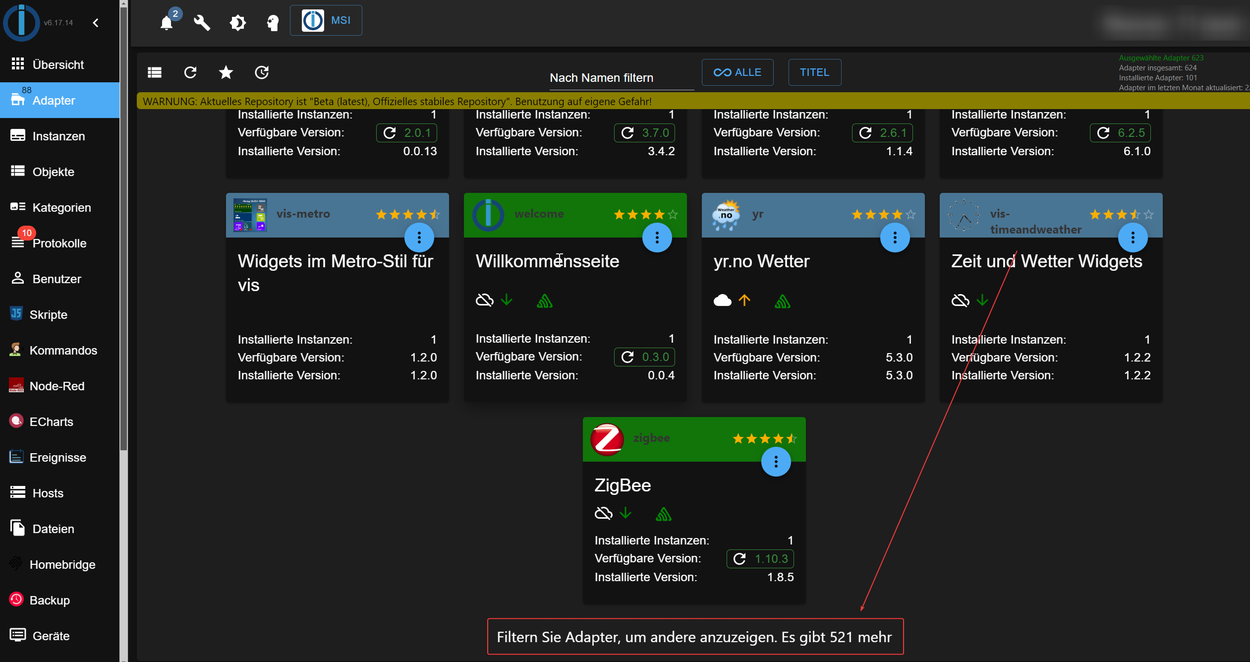
- The Adapter tab displays either only the installed adapters or the first 100 adapters.
To see additional adapters, you must enter a filter.
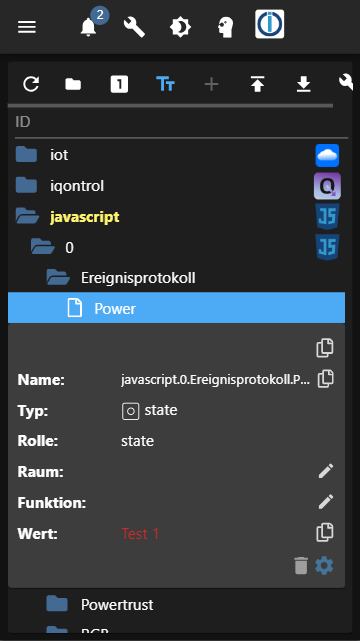
- Object browser has been revised for mobile view
New app
IOB Mobile App for Android and iOS, developer: Peter Thaler

IOB Mobile is a new app for iOS and Android.
Here is the link to the developer's forum post where he introduces his app: Forum
The app offers the following functions:
- Display of data points: Various maps allow the display of sensor data, device status and other information.
- Control devices: Turn devices on and off or change their settings directly from your smartphone or tablet.
- Automatic backups: Automatically save your IOB app configuration to MQTT.
- Send device data: Send device data such as battery status and battery level to ioBroker.
- Charts: Visualize historical data points in easy-to-understand charts (coming soon).
Feedback and ideas for further development are very welcome! Please leave them in Issue Tracker on GitHub.
Wiki page of the app: https://github.com/peter9teufel/iobmobile-issues/wiki/IOB-Mobile-Quickstart
You can find the app here: iOS App Store and Google Play Store
New adapters
Waterkotte-easycon, developer: theknut
https://github.com/theknut/ioBroker.waterkotte-easycon

This adapter enables direct control of settings and parameters of the Waterkotte EasyCon heat pumps using CGI requests.
Depending on the selected configuration (heating, cooling, water, photovoltaics, solar), the adapter automatically records important data and states of the heat pump. It was tested with the Waterkotte EcoTouch Ai1 Geo (2017 model).
Installation instructions and additional information about the adapter are available on the associated GitHub page.
Hiob, developer: moba15 Moritz Bachmaier
https://github.com/moba15/ioBroker.hiob
With this adapter, it is possible to send messages from ioBroker directly to the Hiob app. Documentation, examples and further information can be found on GitHub page.
Notificationforandroidtv, Developer: DNAngelX
https://github.com/DNAngelX/ioBroker.notificationforandroidtv

The ioBroker Notification Integration allows sending notifications to Android TV- and Fire TV- devices.
These notifications appear as text overlays on the screen for an adjustable period of time.
Additionally, images, such as from security cameras, and custom icons can be sent with the notifications. Icons are smaller and appear to the left of the notification, while images are larger and appear above the notification.
As of version 3.0.0, Notification Integration also supports PiPup. PiPup enables the transmission of video streams, for example from cameras, or the display of websites on the Android TV screen.
Gree-hvac, Developer: XHunter74 Serhiy Krasovskyy
https://github.com/XHunter74/ioBroker.gree-hvac

This adapter for ioBroker enables the control and monitoring of Gree and Cooper&Hunter air conditioning systems.
Supported devices:
- Gree Smart Series
- Cooper&Hunter: Supreme, Vip Inverter, ICY II, Arctic, Alpha, Alpha NG, Veritas, Veritas NG series
- EcoAir X-Serie
- ProClimate
New Videos
JavaScript adapter version 8.5.x
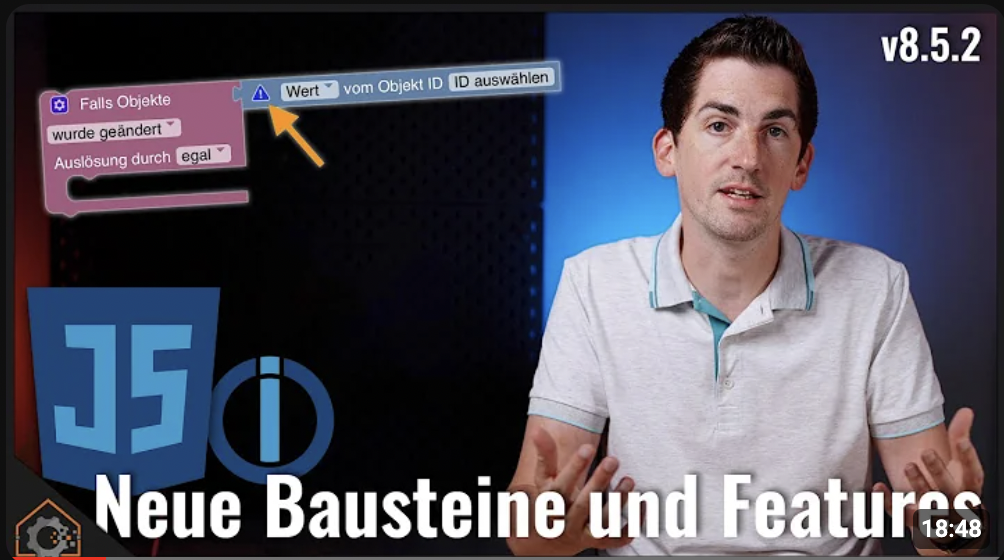
This video by Matthias Kleine, YouTube channel haus:automation, provides a comprehensive overview of the new features and improvements of the JavaScript adapter in version 8.5.x. The new blocks and functions simplify working with the adapter and make it even more powerful. The improved error handling and the new integration tests ensure higher quality and stability.
New features:
New blocks:
- HTTP GET and HTTP POST blocks for simpler HTTP requests
- Object manipulation: creating, modifying and deleting objects and attributes
- Multi-logic blocks for clear comparisons of multiple conditions
- Improved error messages and warnings for easier troubleshooting
Simplified data point confirmation: Confirmation of self-created data points with a new block
New trigger for log messages: Reaction to events in the ioBroker log, e.g. errors, warnings or info messages
Improvements:
- New Blockly version with better dark mode
- Translations and type hints for a better development experience
- Comprehensive integration tests for quality assurance
- Various bug fixes and improvements
IoBroker and JAEGER design tutorial
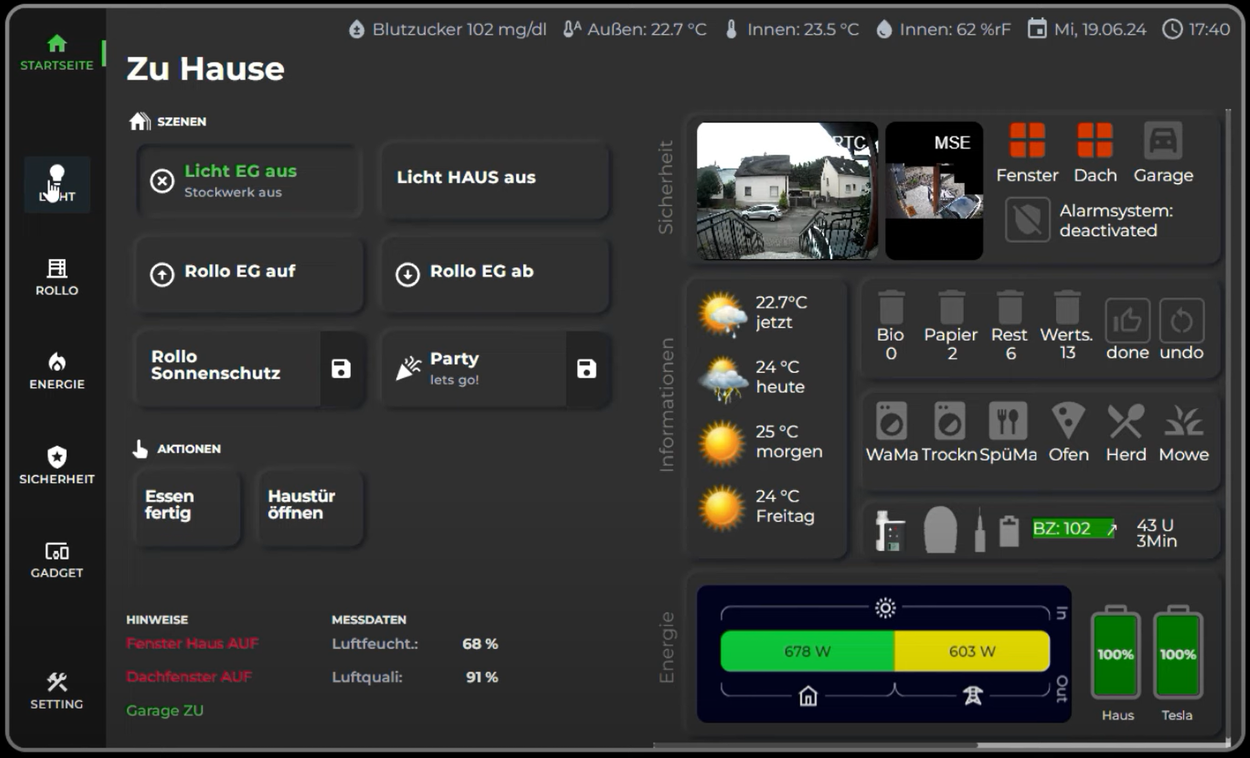
In this video, Marc from YouTube channel SmartHome leicht gemacht shows how you can design the main page of the Smart Home interface more freely with ioBroker and JaegerDesign widgets and integrate RGBW lights.
Summary of key points:
Free design of the main page: It explains how you can freely design the main page using HTML widgets and CSS and also how you can place widgets, customize them and combine them with other elements. An example is the creation of a widget with text and icon that shows the status of the windows in the house.
Integrating RGBW lights: It shows how to integrate RGBW lights such as Philips Hue lamps using the RGBW widget from JAEGER-Design. It explains how to adjust the widget's settings, such as colors, brightness and white level. One example is the integration of a Philips Hue lamp, which can be switched on and off with a switch on the surface and the color can be adjusted using an RGBW palette.
Additional Tips: Marc answers questions from previous videos, such as how to create curves. He previews future videos where he shows how he designed his floor plan and how to integrate cameras and the alarm adapter.