This adapter allows connection from the internet through ioBroker cloud to local installation of ioBroker.
This adapter uses Sentry libraries to automatically report exceptions and code errors to the developers. For more details and for information how to disable the error reporting, see Sentry-Plugin Documentation! Sentry reporting is used starting with js-controller 3.0.
Settings
APP-KEY
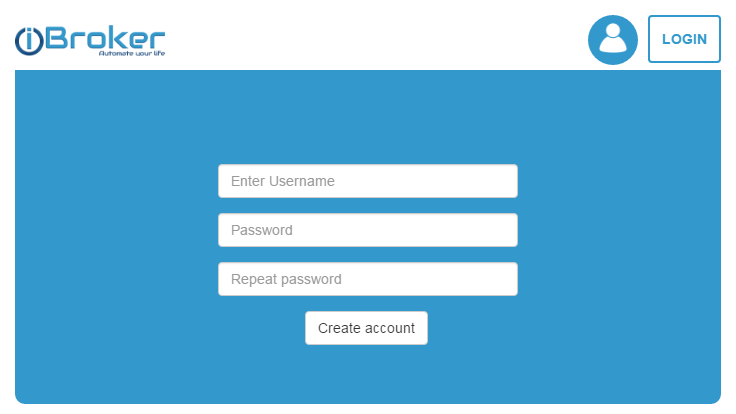
To use cloud adapter, you should first get the APP-Key on https://iobroker.net.
This is application key that the user can get on https://iobroker.net site. Please get the key there and enter it here.
Instance
All requests from cloud adapter will be routed to specific WEB Instance. User must specify here the WEB instance; that will be shown to user, when he logs in https://iobroker.net site.
Allow self-signed certificates
If you use standard iobroker.net cloud, you can deactivate it. This option is only important if your own cloud is used.
Alexa settings
Alexa is not supported in cloud adapter anymore. Use ioBroker.iot adapter for that.
IFTTT
Services
There is a possibility to send messages to cloud adapter.
If you call [POST]https://iobroker.net/service/custom_<NAME>/<user-app-key> und value as payload.
curl --data "myString" https://iobroker.net/service/custom_test/<user-app-key>
If you set in the settings the field "White list for services" the name custom_test, and call with "custom_test" as the service name, the state cloud.0.services.custom_test will be set to myString.
You may write "*" in whitelist and all services will be allowed.
From version 2.0.5 you can use GET request in form [GET]https://iobroker.net/service/custom_<NAME>/<user-app-key>/<data> to place the \<data\> into cloud.0.services.custom_\<NAME\>.
Here you can find instructions on how to use it with tasker.
IFTTT service is allowed only if an IFTTT key is set.
Reserved names are ifttt, text2command, simpleApi, swagger. These must be used without the "custom_" prefix.
text2command
You may write text2command in whitelist, you can send POST request to https://iobroker.net/service/text2command/<user-app-key> to write data into text2command.X.text variable.
"X" can be defined in settings by the "Use text2command instance" option.
simpleApi
You can use the following commands (only pro):
[GET]https://iobroker.pro/service/simpleApi/<user-app-key>/get/stateID- to read state value =>{"val":103.516,"ack":true,"ts":1604132484682,"q":0,"from":"system.adapter.admin.0","lc":1604132469672,"result":"OK"}[GET]https://iobroker.pro/service/simpleApi/<user-app-key>/getPlainValue/stateID- to read state value =>103.641[GET]https://iobroker.pro/service/simpleApi/<user-app-key>/set/stateID?value=1- to set state value =>{"result":"OK"}
Don't forget to add simpleApi to allowed services in the configuration.
Limitations
If HTTPs (Security) or authentication is enabled on a defined web-instance, it does not work.
You can deactivate HTTPS and authentication on this web instance, but better is to create a new web instance that is bound to localhost and select this instance in cloud-settings.
Android application
With the new android application the location of variables for brightness and location has been changed.
Now they could be found in cloud.X.devices.NAME:
cloud.X.devices.NAME.brightnesscloud.X.devices.NAME.currentLocation.cloud.X.devices.NAME.batteryLevelcloud.X.devices.NAME.batteryState.
Changelog
6.1.3 (2026-08-26)
- (copilot) Adapter requires node.js >= 22 now
- (copilot) Migrated blockly to TypeScript
6.1.2 (2026-06-13)
- (@GermanBluefox) Added support of credentials manager
6.0.5 (2026-06-01)
- (bluefox) Corrected the command object to be writable
6.0.4 (2026-05-17)
- (bluefox) Respect the types of states if writing from visu app
6.0.1 (2026-03-04)
- (bluefox) Added communication with new android application
- (bluefox) Dropped support node 18
- (bluefox) Implemented QR Code for ioBroker.visu app
License
The MIT License (MIT)
Copyright (c) 2016-2026 bluefox dogafox@gmail.com
Permission is hereby granted, free of charge, to any person obtaining a copy of this software and associated documentation files (the "Software"), to deal in the Software without restriction, including without limitation the rights to use, copy, modify, merge, publish, distribute, sublicense, and/or sell copies of the Software, and to permit persons to whom the Software is furnished to do so, subject to the following conditions:
The above copyright notice and this permission notice shall be included in all copies or substantial portions of the Software.
THE SOFTWARE IS PROVIDED "AS IS", WITHOUT WARRANTY OF ANY KIND, EXPRESS OR IMPLIED, INCLUDING BUT NOT LIMITED TO THE WARRANTIES OF MERCHANTABILITY, FITNESS FOR A PARTICULAR PURPOSE AND NONINFRINGEMENT. IN NO EVENT SHALL THE AUTHORS OR COPYRIGHT HOLDERS BE LIABLE FOR ANY CLAIM, DAMAGES OR OTHER LIABILITY, WHETHER IN AN ACTION OF CONTRACT, TORT OR OTHERWISE, ARISING FROM, OUT OF OR IN CONNECTION WITH THE SOFTWARE OR THE USE OR OTHER DEALINGS IN THE SOFTWARE.