MyDlink Adapter für ioBroker.
Dieser Adapter erlaubt es Geräte (Steckdosen und Bewegungsmelder) von D-Link in ioBroker zu integrieren.
Dieser Adapter nutzt die Sentry Bibliothek um automatisch Fehler im Adapter an den Entwickler zu schicken. Für mehr Details und wie man die automatische Fehlerberichterstattung abschaltet, siehe die Dokumentation des Sentry-Plugins! Sentry wird erst ab js-controller Version 3.0 unterstützt.
Bisher wurden die folgenden Geräte erfolgreich mit dem Adapter getestet: (weitere gerne melden)
| Model | Type | Image |
|---|---|---|
| DSP-W215 | Steckdose (schalten, Temperatur, Strom) Muss gepollt werden | 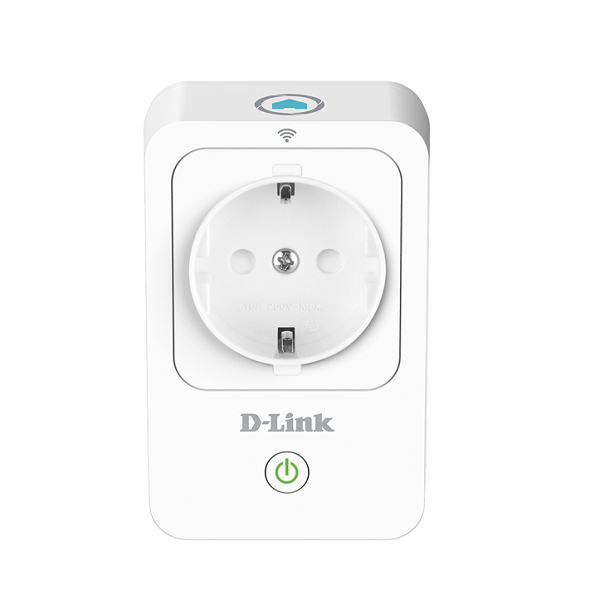 |
| DSP-W115 | Steckdose (schalten) | 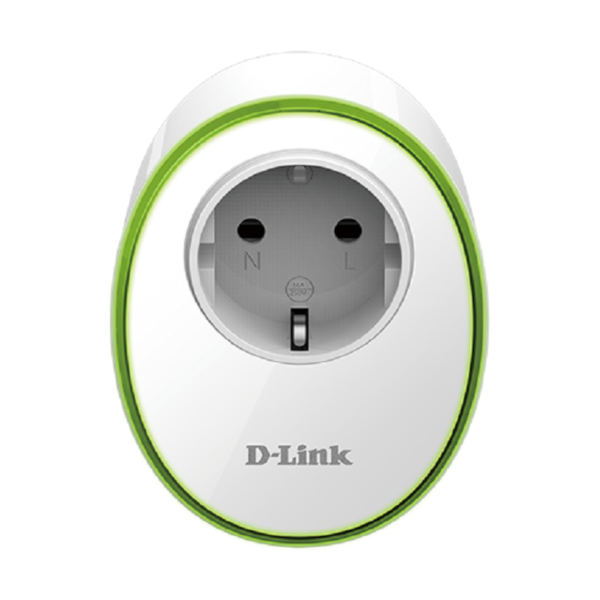 |
| DCH-S150 | Bewegungsmelder Muss gepollt werden | 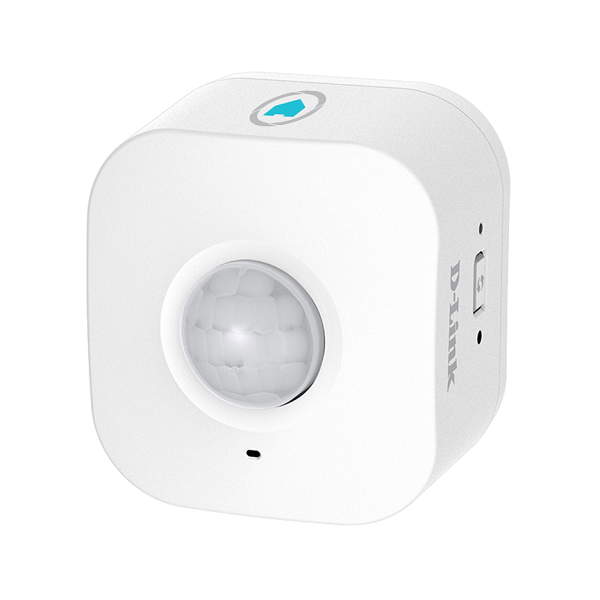 |
Ältere Geräte, wie die DSP-W215 oder der DCH-S150 müssen vom Adapter gepollt werden, was bedeutet, dass es immer eine kurze Verzögerung für den Statusreport an ioBroker gibt. Das ist besonders beim Bewegungsmelder ungünstig. Der DSP-W115 und andere neuere Geräte liefern ihren Status sofort an den ioBroker.
Das Pollintervall kann pro Gerät einzeln eingestellt werden.
Konfiguration:
- Alle Geräte müssen in der Liste konfiguriert werden:
| Name | Name, beliebig |
| IP | IP Adresse oder Hostname des Geräts |
| PIN | Die PIN steht auf der Gerät, z.B. auf dem Boden. Für DSP-W115 kann hier auch TELNET eingegeben werden, siehe unten. |
| Poll interval (in ms) | Poll interval Auf 0 setzen um polling abzuschalten. Empfehlung: Nutze ein kurzes Intervall für Bewegungsmelder und ein längeres für Steckdosen. |
| enable | Wenn hier kein Haken ist, wird das Gerät nicht angesprochen. So können Geräte, die eine Zeitlang nicht eingesteckt sind (z.B. für Weihnachtsdeko) einfach deaktiviert werden und der Adapter meldet keine Fehler im log. |
Für alte Geräte stört die Nutzung des Adapters die Nutzung der App nicht. Für neuere Geräte, wie die DSP-W115 ist das etwas anders, siehe unten.
Einrichten des DSP-W115
Der DSP-W115 und andere neuere Geräte nutzen ein völlig anderes Protokoll als die änteren. Wenn das Gerät aus der App gelöscht wird, kann, wie früher auch, einfach die PIN genutzt werden.
Ansonsten, wenn die App weiter genutzt werden soll, muss das Gerät in den "factory mode" gesetzt werden. Das erreicht man wie folgt:
- Das Gerät in den Wiederherstellungsmodus versetzen in dem die WPS/Reset Taste während dem Starten festgehalten wird, bis es rot blinkt (statt orange!).
- Jetzt wurde ein telnet Port geöffnet, verbinde nun einen Laptop oder ähnliches mit dem Geräte-Wifi (DSP-W115-XXXX).
- Verbinde dich mit telnet
telnet 192.168.0.20und logge dich ein mitadmin:123456(in Linux einfach auf der Konsole, in Windows geht es über putty, dort musstelnetausgewählt werden). - Aus dem Gerät über telnet ausführen:
nvram_set FactoryMode 1 - Dann mit
reboot; exit;(auf dem Gerät ausführen) neustarten.
Jetzt kann in der Adapterkonfiguration TELNET als Pin eingegeben werden und
der Adapter holt sich (über den offenen telnet Port) alle Informationen von dem
Gerät, die er braucht.
Changelog
WORK IN PROGRESS
- (copilot) Adapter requires node.js >= 22 now
- (copilot) Adapter requires admin >= 7.7.22 now
- (copilot) Adapter requires js-controller >= 6.0.11 now
- (copilot) Adapter requires admin >= 7.6.17 now
1.3.6 (2024-05-24)
- fixed: crash with empty pin.
1.3.5 (2023-10-30)
- fixed: wrong type warnings with legacy devices
1.3.4 (2023-08-18)
- fixed: missing build...
1.3.3 (2023-08-07)
- fix: crash with js-controller 5.x
1.3.2 (2023-06-23)
- better handle possible exception on unload.
1.3.1 (2023-06-12)
- fix minor errors
- improved siren support.
1.3.0 (2023-05-15)
- reworked code to type-script (please report errors / things that work worse than before)
- added: reboot button for SOAP devices (seems they tend to die now the servers are gone)
- added: support for siren devices
- added: device connection status displayed in admin.
- removed: info.connection state.
1.2.1 (2022-09-01)
- fix release...
1.2.0 (2022-08-30)
- Update translations & dependencies
- Add support for devices with multiple sockets
- Allow polling for websocket devices
1.1.12 (2021-07-21)
- Update translations
1.1.11 (2021-06-30)
- adjusted types & roles to type-detector.
1.1.10 (2021-06-30)
- fix type warnings
- updated translations and dependencies
1.1.9 (2021-05-23)
- updated translations
1.1.8 (2021-05-20)
- added:
telnettoken is now case insensitive - fixed: prevent object missing warning on new devices
1.1.7 (2020-10-09)
- fixed: prevent error message with new mydlink plugs on switch
1.1.6 (2020-10-09)
- fixed: prevent error message with new mydlink plugs on switch (broken)
1.1.5 (2020-09-03)
- Add: support for DCH-S160 water detector added (needs polling, linke motion detector).
1.1.4 (2020-06-23)
- fixed: sometimes state was always reported as true.
1.1.3 (2020-06-18)
- fixed: if error during login, polling would stop.
- fixed: can now update device name from config again
- change: read devices from config in UI again
- change: in UI do not create +-Button if detected device is already in devices table.
1.1.2 (2020-06-01)
- fixed two possible crashes with offline / wrong devices.
1.1.1 (2020-06-01)
- Improved auto detection of DSP-W115 (but mdns seems very unreliable whit that device)
- UI should never delete user devices
1.1.0 (2020-05-31)
- Added Support for w115 (and maybe other never myDlink devices, might even do something with cameras)
- Fix relogin to device (i.e. when device was restarted during adapter runtime)
- Fix error when switching a socket.
1.0.11 (2020-05-10)
- Tried to add even more information in case device seems incompatible
1.0.10 (2020-05-10)
- Returned to login with user "Admin"
- Tried to add more debug for incompatible devices.
1.0.9 (2020-05-07)
- Fixed: changes in configuration were not respected once devices were created
- Fixed: re-login to device on switching if polling is disabled
- Fixed: Error output on switching now more informative
1.0.8 (2020-05-05)
- Fixed switching, was broken in some circumstances by id changes.
1.0.7 (2020-05-02)
- Made saving config more robust and direct again.
- Made identify by IP more robust and allows saving right away.
- Prevent saving if devices without PIN are configured.
1.0.6 (2020-05-02)
- Prevent creation of empty devices (MYDLINK-6)
1.0.5 (2020-05-02)
- Fixed possible issue with device ids.
- Improved device creation
- Adjusted for discovery adapter that not yet stores passwords encrypted.
1.0.4 (2020-05-01)
- Improved connection keepAlive
- Improved logging of network errors
1.0.3 (2020-05-01)
- Fixed login/identification loop on (possibly) duplicate devices
1.0.2 (2020-04-30)
- Fixed potential crashes on network errors.
1.0.1 (2020-04-30)
- Re-added device config to adapter config (in case objects get deleted).
1.0.0 (2020-04-30)
- BREAKING CHANGE: device id is now mac instead of name -> all devices need to be recreated. Sorry for that. But should never happen again, now. New devices should be created automatically.
- added encryption of PIN
- settings stored in native part of device (please do not delete them or you have to reconfigure them)
- modified device creation / identification / start to allow devices to be (re-)started during runtime (you do not need to press save on config page anymore)
- added auto detection
- added missing translations
- added sentry plugin (including sending information about unknown devices)
- a lot of internal restructuring and cleanup for better maintenance in future.
0.0.7
- (Garfonso) added info.connection state
- (Garfonso) suppressed repeated error messages during polling.
0.0.6
- (Garfonso) prevent removement of custom details in objects.
0.0.5
- (Garfonso) fixed config files for release in latest repository.
0.0.4
- (Garfonso) polling interval can now be configured on per device basis (if not configured for a device global poll intervall will be used.) Recommendation: Use high global poll interval and a smaller one for motion detectors.
- (Garfonso) added no_motion state for motion detectors, contains number of seconds since last motion.
0.0.3
- (Garfonso) use setStateChanged instead of polling state before writing.
- (Garfonso) minor clean ups.
0.0.2
- (Garfonso) move to ioborker-community-adapters
0.0.1
- (Garfonso) initial release
License
MIT License
Copyright (c) 2026 iobroker-community-adapters iobroker-community-adapters@gmx.de
Copyright (c) 2024-2025 Garfonso garfonso@mobo.info
Permission is hereby granted, free of charge, to any person obtaining a copy of this software and associated documentation files (the "Software"), to deal in the Software without restriction, including without limitation the rights to use, copy, modify, merge, publish, distribute, sublicense, and/or sell copies of the Software, and to permit persons to whom the Software is furnished to do so, subject to the following conditions:
The above copyright notice and this permission notice shall be included in all copies or substantial portions of the Software.
THE SOFTWARE IS PROVIDED "AS IS", WITHOUT WARRANTY OF ANY KIND, EXPRESS OR IMPLIED, INCLUDING BUT NOT LIMITED TO THE WARRANTIES OF MERCHANTABILITY, FITNESS FOR A PARTICULAR PURPOSE AND NONINFRINGEMENT. IN NO EVENT SHALL THE AUTHORS OR COPYRIGHT HOLDERS BE LIABLE FOR ANY CLAIM, DAMAGES OR OTHER LIABILITY, WHETHER IN AN ACTION OF CONTRACT, TORT OR OTHERWISE, ARISING FROM, OUT OF OR IN CONNECTION WITH THE SOFTWARE OR THE USE OR OTHER DEALINGS IN THE SOFTWARE.